Corporate Website

Scroll down
Scroll Icon

Corporate Website

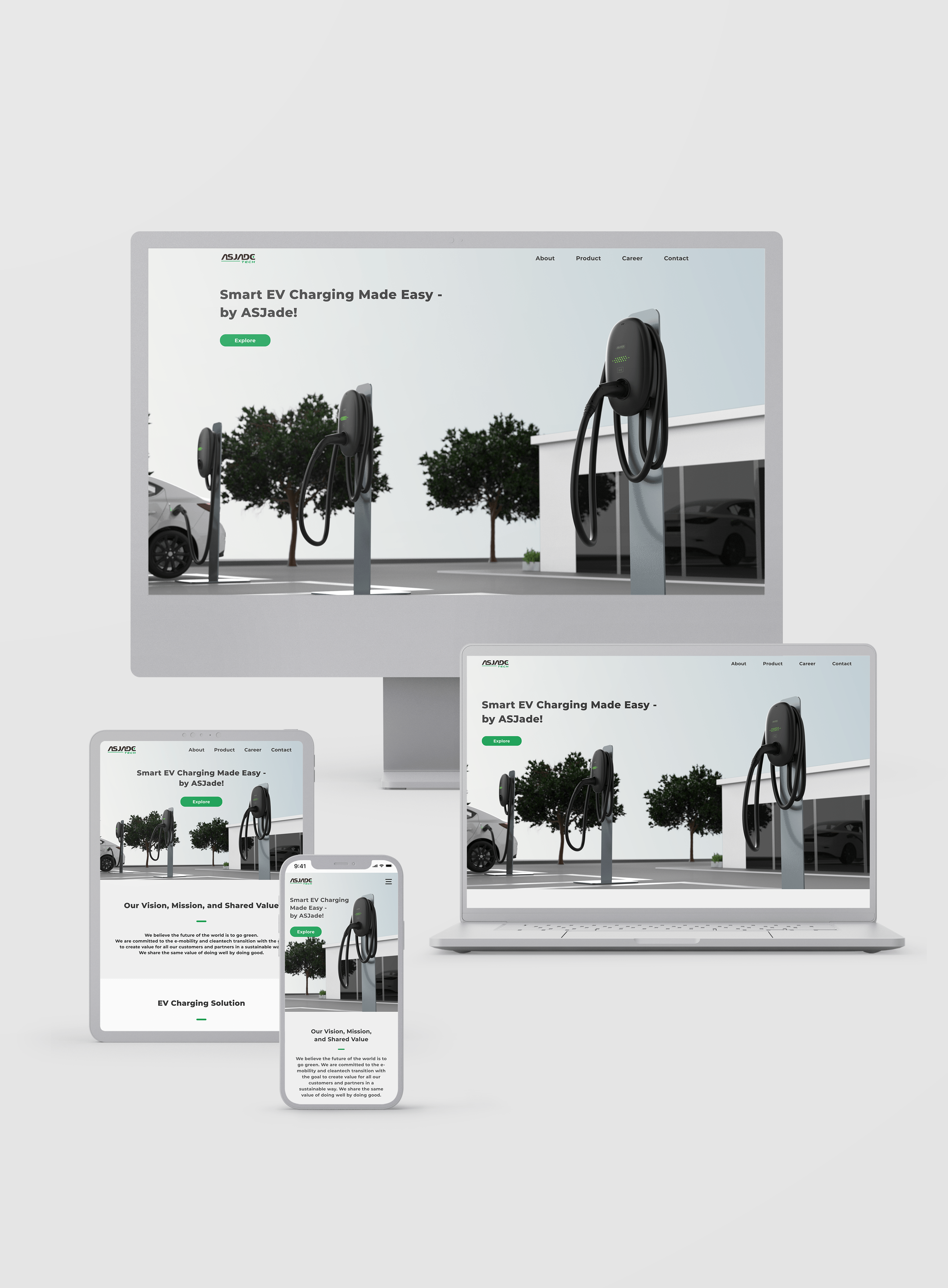
A tech startup website for enhancing brand image, providing information and services, building trust, expanding market reach, and facilitating interaction with target audiences.

Visit Site

Features

LCD (Optional)
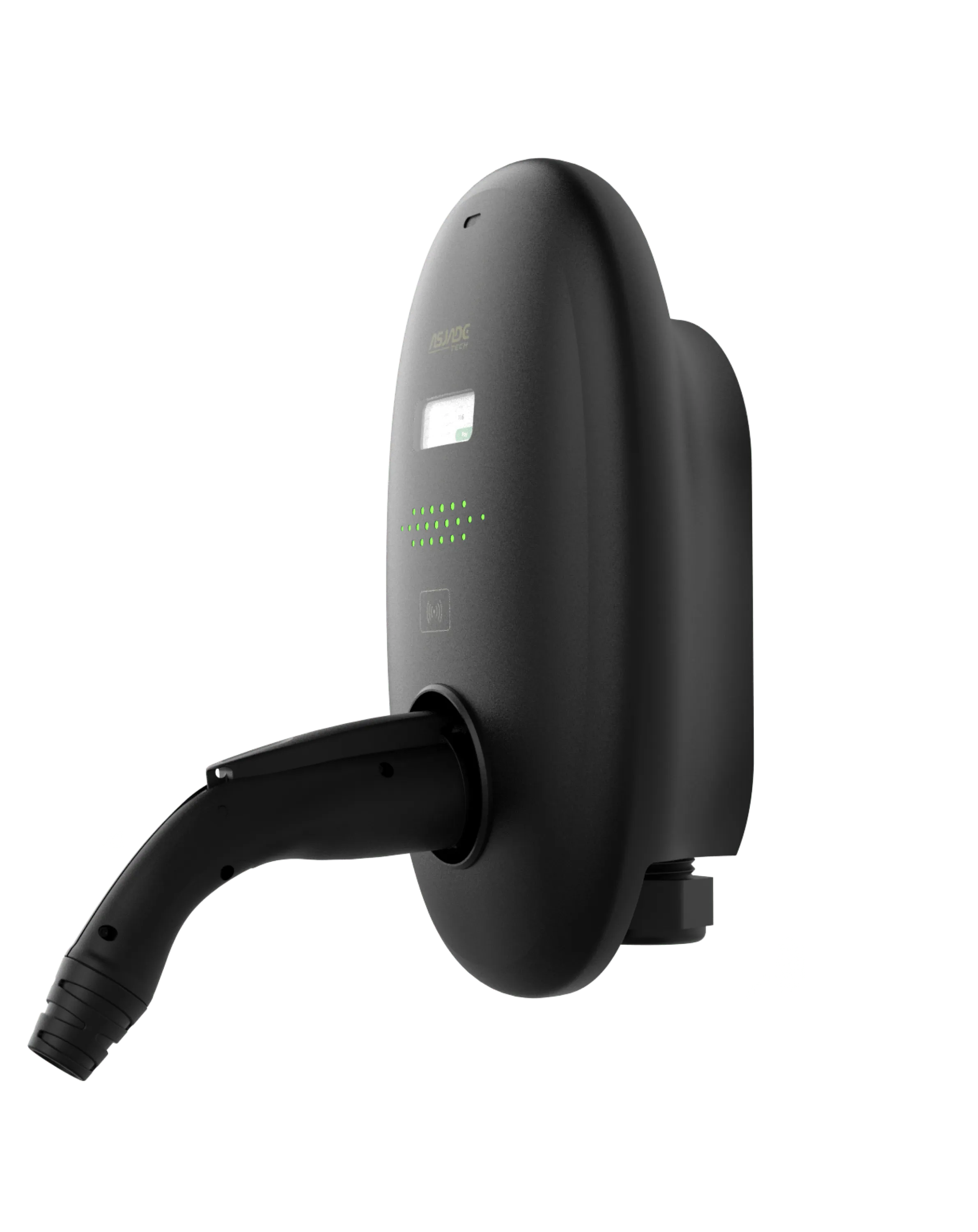
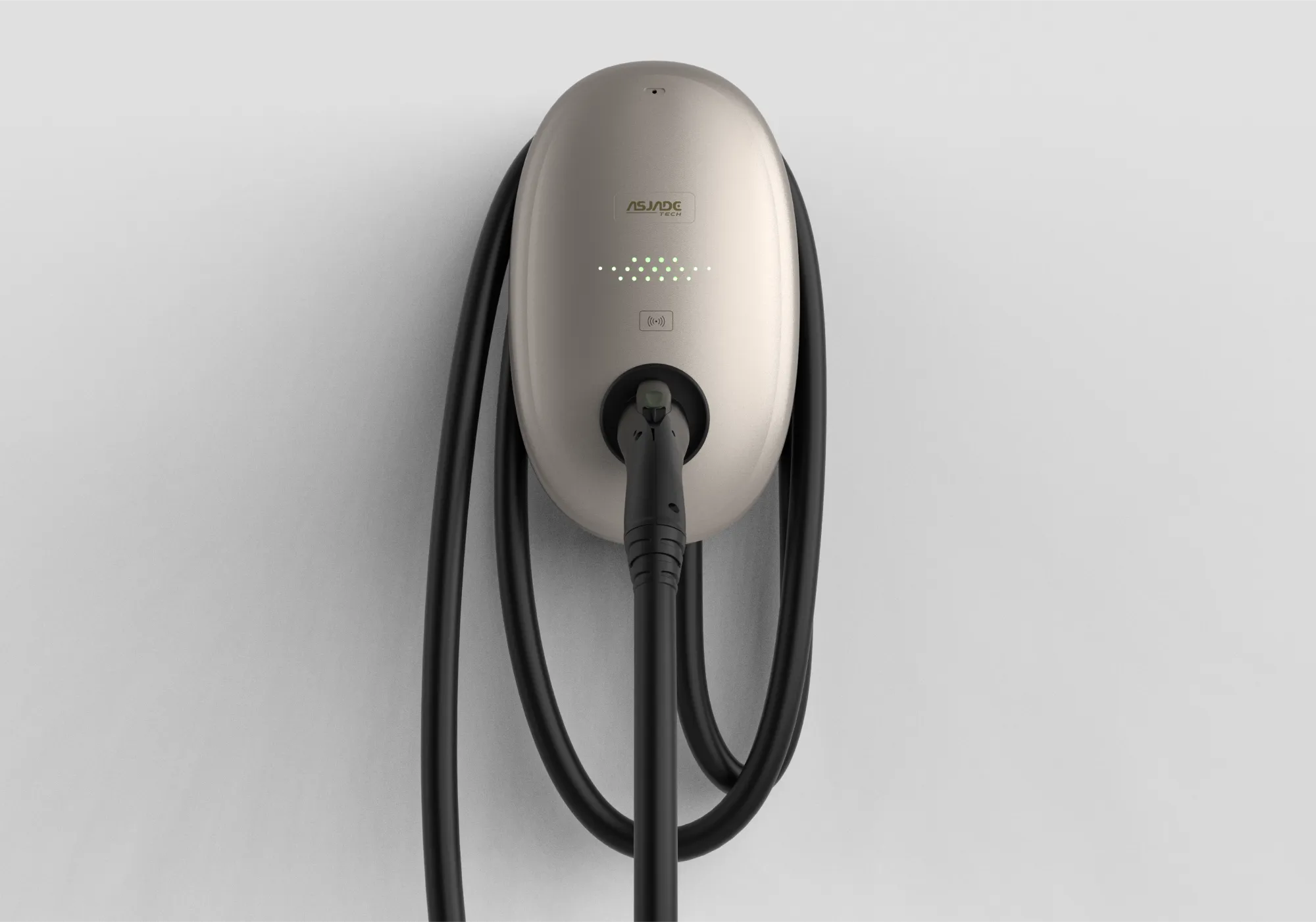
To meet the demands of CPOs (Charging Point Operators), the EV Charger is available in two variants: one with an LCD display and the other without.
Compact size
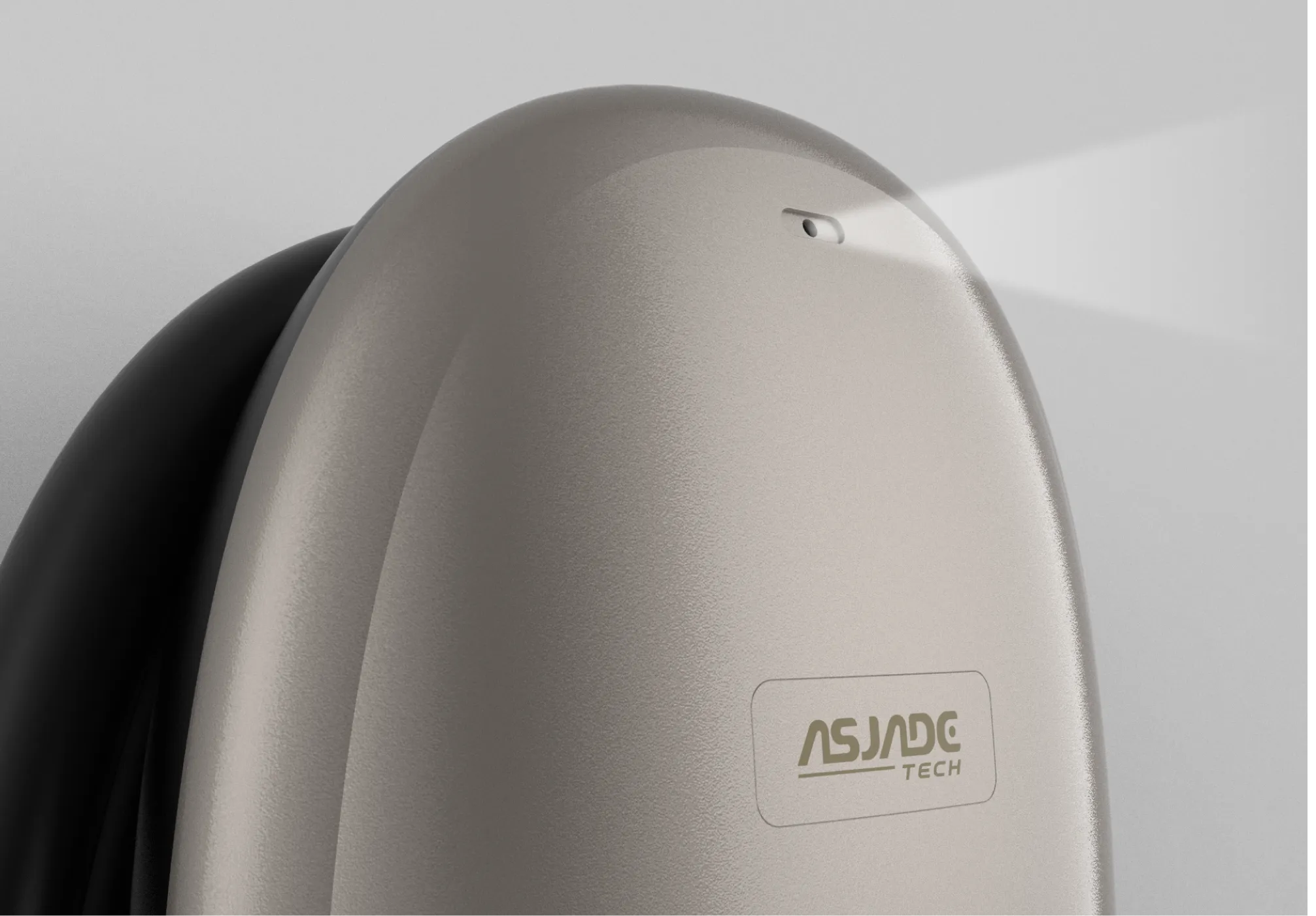
The 80A high-power AC EV Charger stands out with its compact dimensions, achieved through meticulous design adjustments in industrial aesthetics, mechanical structure, and ME components.
Light Sensor
The Light Sensor detects the brightness of the charging area and adjusts the LED brightness accordingly, ensuring a user-friendly lighting experience in any environment.
RFID
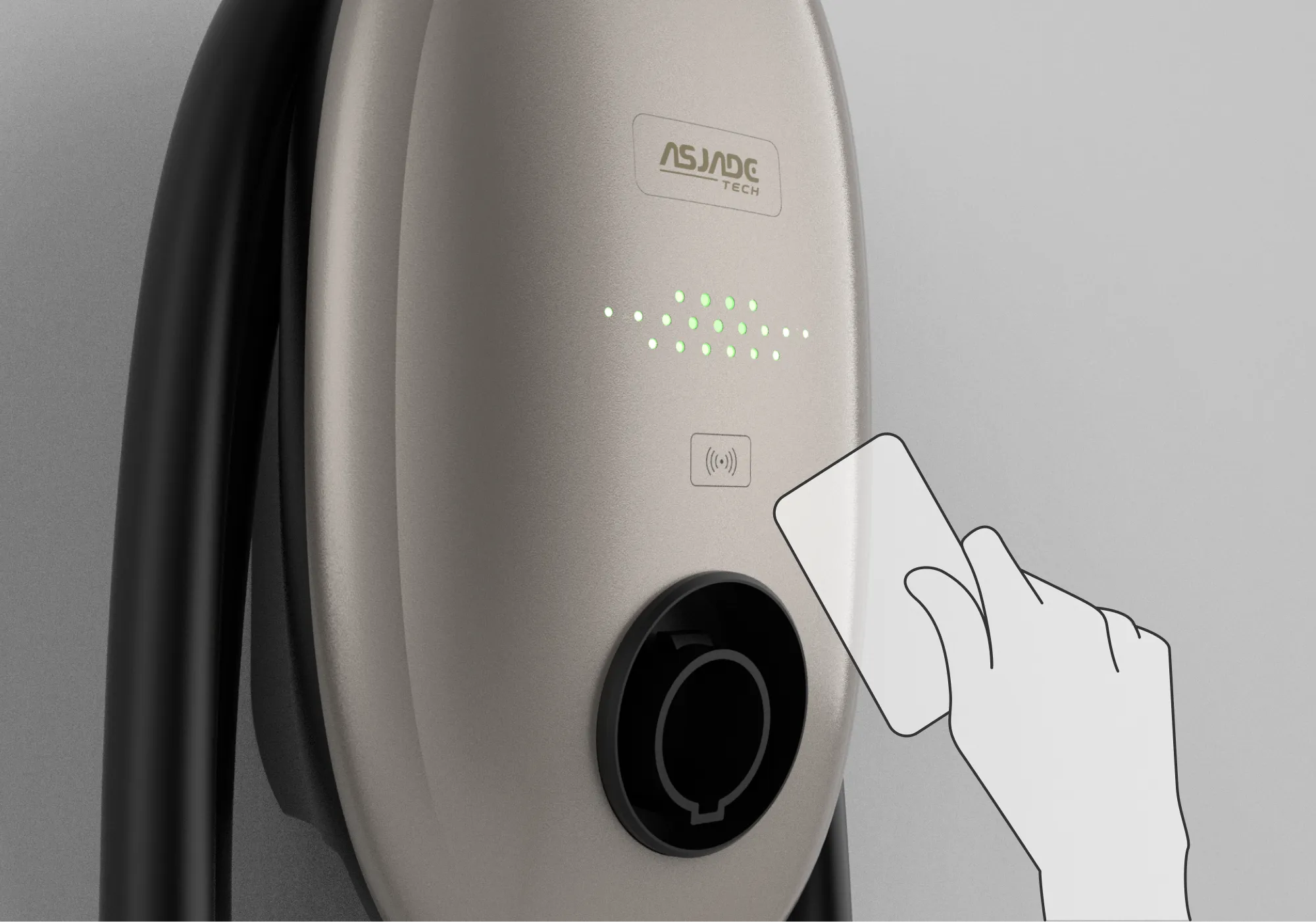
Besides credit card and mobile app payment options, this AC EV Charger also supports RFID payment, providing users with convenient and seamless transactions.

Scenario

Step 1
Book Counseling Session
Step 2
Obtain Purchase Code Based on Counselor's Assessment
Step 3
Purchase the Suitable Emorgan that Meets Your Needs
Step 4
Implant Emorgan at our Partner Hospitals
Step 5
Experience your partner's emotions in a new way
Step 6
Continued monitoring through counseling follow-up visits.

Technology

Transplantation

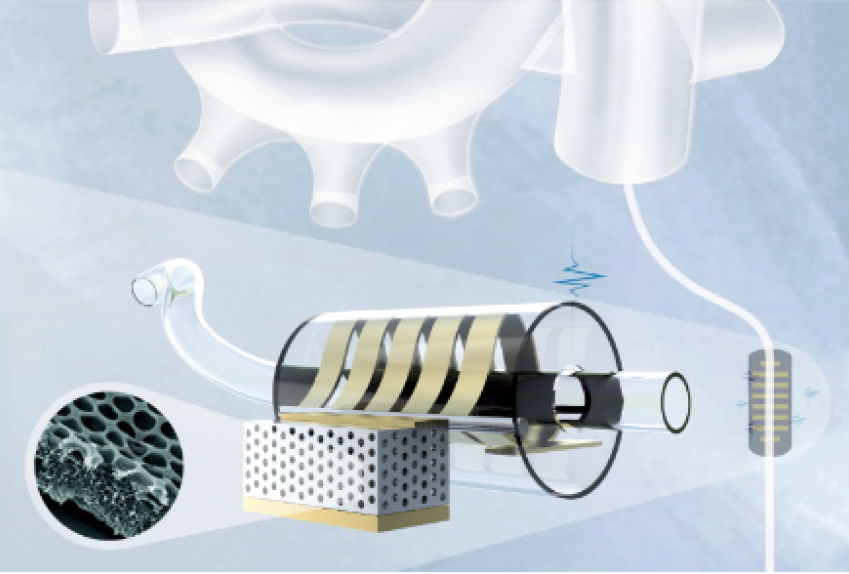
Surgens can use contrast agents to observe the body internally and securely implant Emorgan by manipulating its four forks. The final step is to separate and remove the catheter, completing the transplantation surgery.

Blood Flow Power

The heart's wires are coated with a special piezoelectric film (PVDF). As the heart beats, the film generates electrical signals, converting its mechanical motion into energy.

PhotoPlethysmGraphy

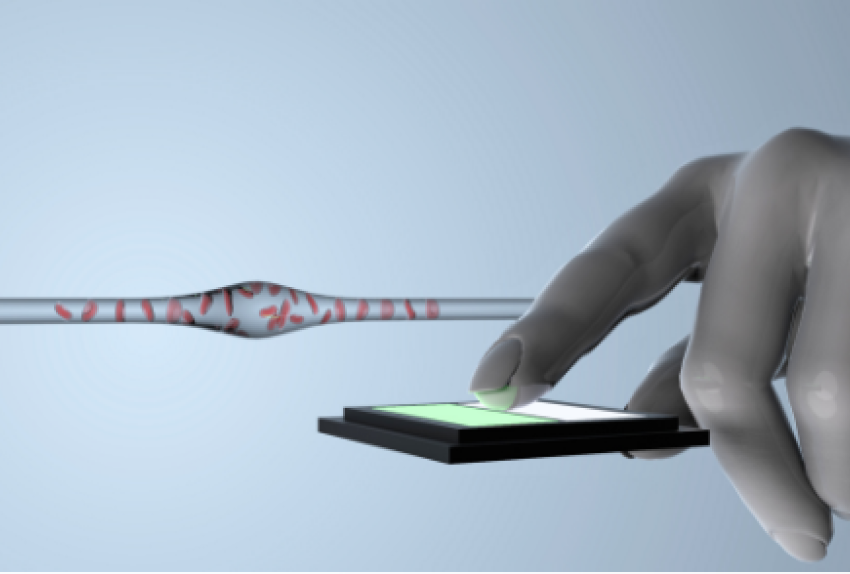
Using blood absorption rate to measure heart rate, when blood flow increases, the absorption rate of green light also increases, providing information about the heart rate.

Low-frequency

By utilizing low-frequency vibrations, the user's muscle relaxation range can be altered, translating their partner's emotions into tactile sensations.

Organ Design

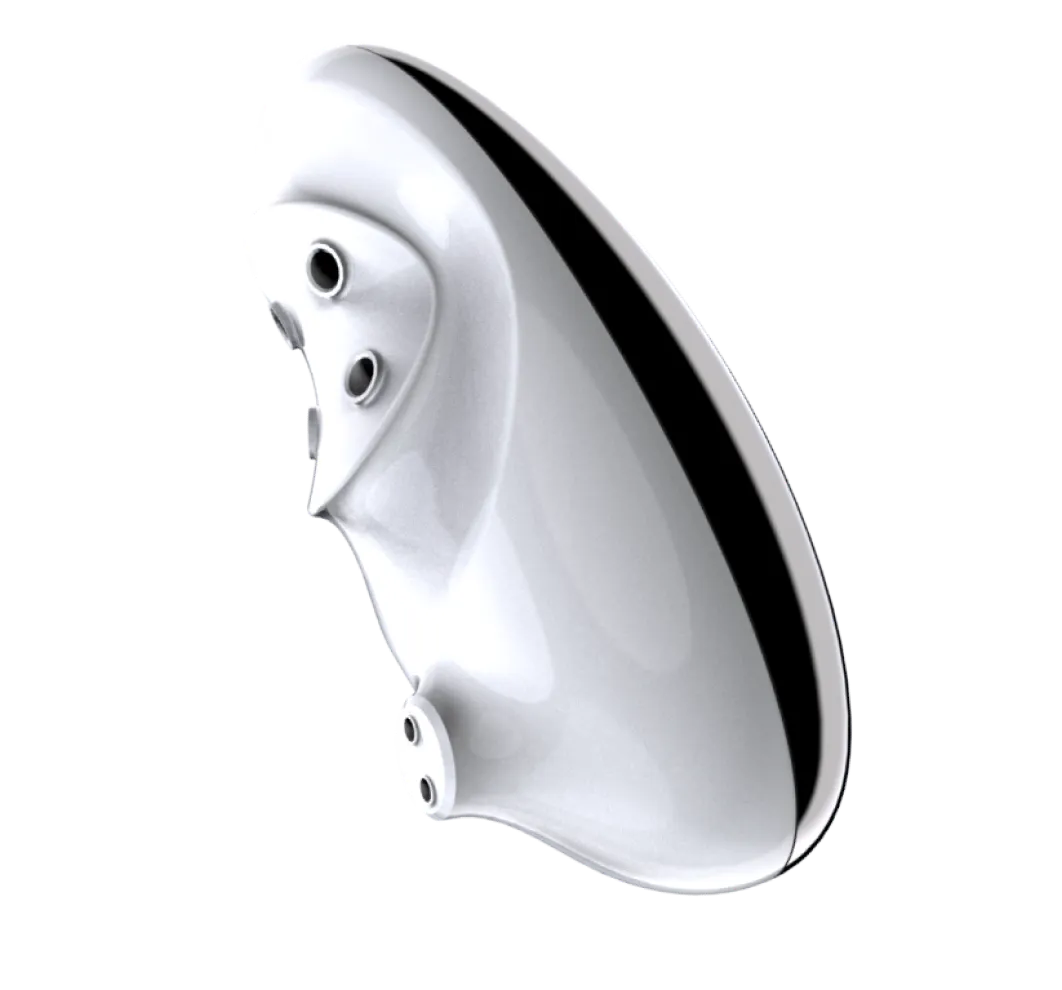
Shali emorgan
Dimension: 28.0  x  28.3  x  54.0   mm
Material
Biomedical Metal
Biomedical Ceramics
Biomedical Polymer
Technology
Artificial aromatic compounds providing the taste which was transferred from tear emotional data by Shali patch.
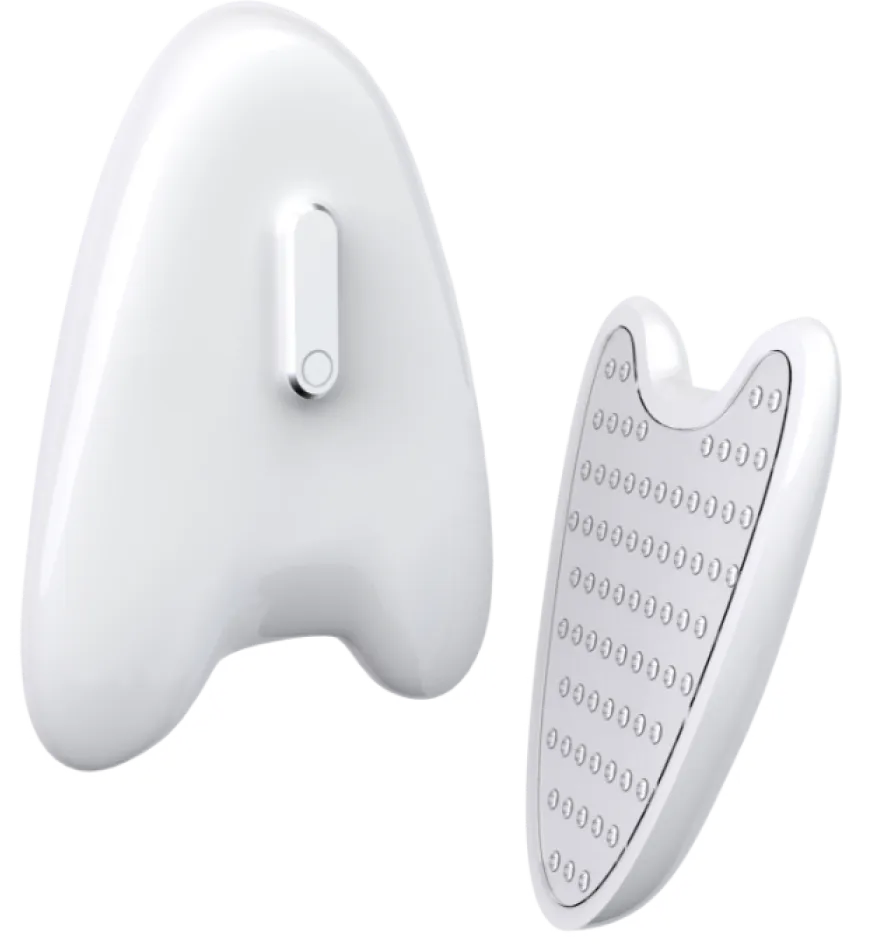
Shali patch
Dimension: 56.5  x  36.4  x  4.0   mm
Material
The material attached to the face is silicone, which increase the adhesion between the skin and the patch to prevent needles from damage.
Technology
Tear crystal analysis
AI facial analysis
Protein analysis
Obi emorgan
Dimension: 28.0  x  28.3  x  54.0   mm
Material
Biomedical Metal
Biomedical Ceramics
Biomedical Polymer
Technology
Artificial aromatic compounds providing the taste which was transferred from tear emotional data by Shali patch.
Obi patch
Dimension: 60.7  x  42.6  x  4.0   mm
Material
The material attached to the face is silicone, which increase the adhesion between the skin and the patch to prevent needles from damage.
Technology
Voice analysis
AI facial analysis
Buzzy patch
Dimension: 75.0  x  55.5   x  5.0   mm
Material
Biomedical Metal
Biomedical Ceramics
Biomedical Polymer
Technology
Artificial aromatic compounds providing the taste which was transferred from tear emotional data by Shali patch.

Exhibition

Scenario

Step 2
Connection of the hardware and the App
Step 3
Print tasks on your arm
Step 4
Connection of the hardware and the App
Step 1
Add tasks on the App
App
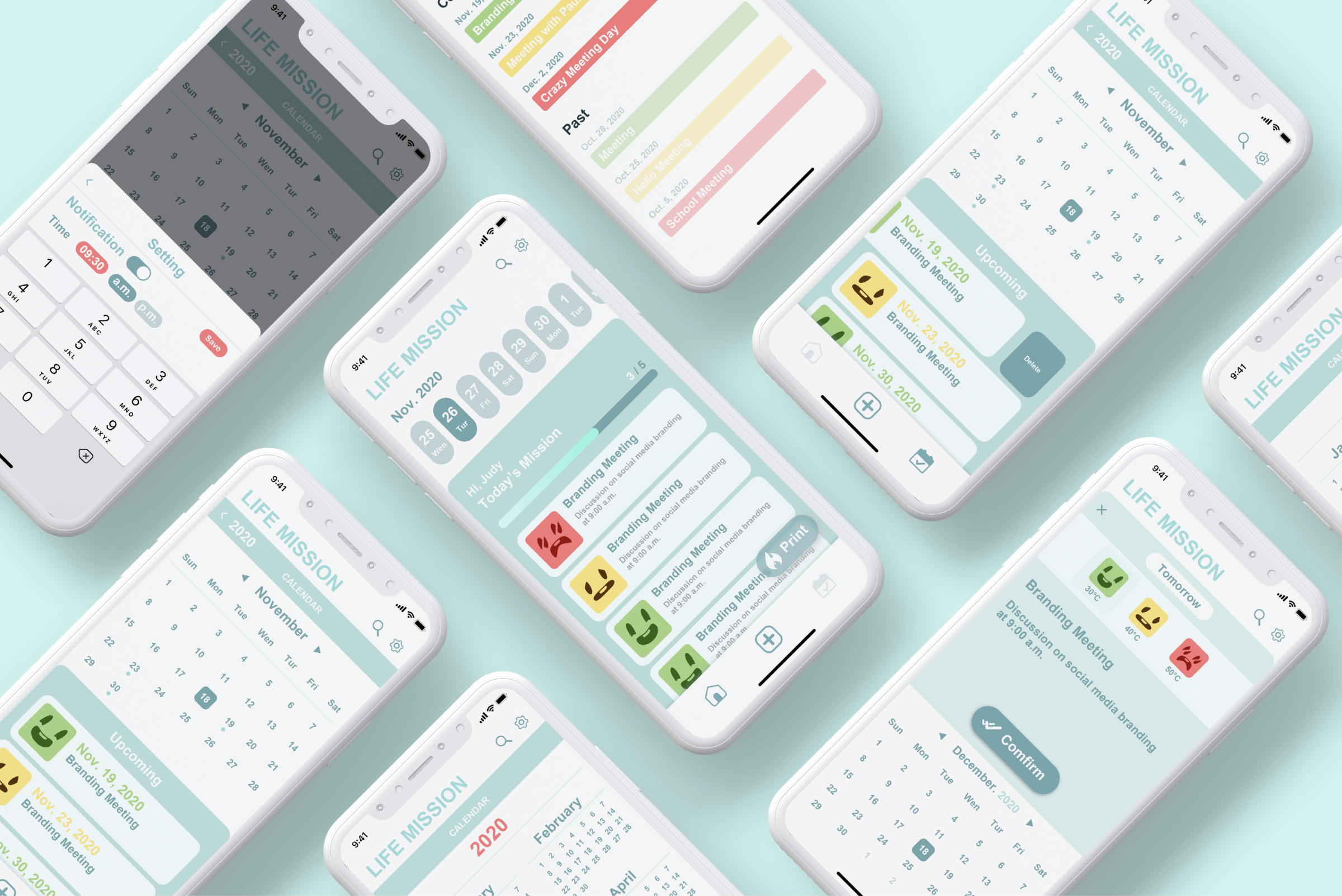
The tasks are categorized into three levels based on their importance or urgency. Users can choose the duration of skin contact by the device according to the importance or urgency of each task. Additionally, users have the option to adjust the depth of needle penetration in the settings. The entire process involves naming the task, inputting the task details, selecting the printing date, and choosing the level of importance.
Printer
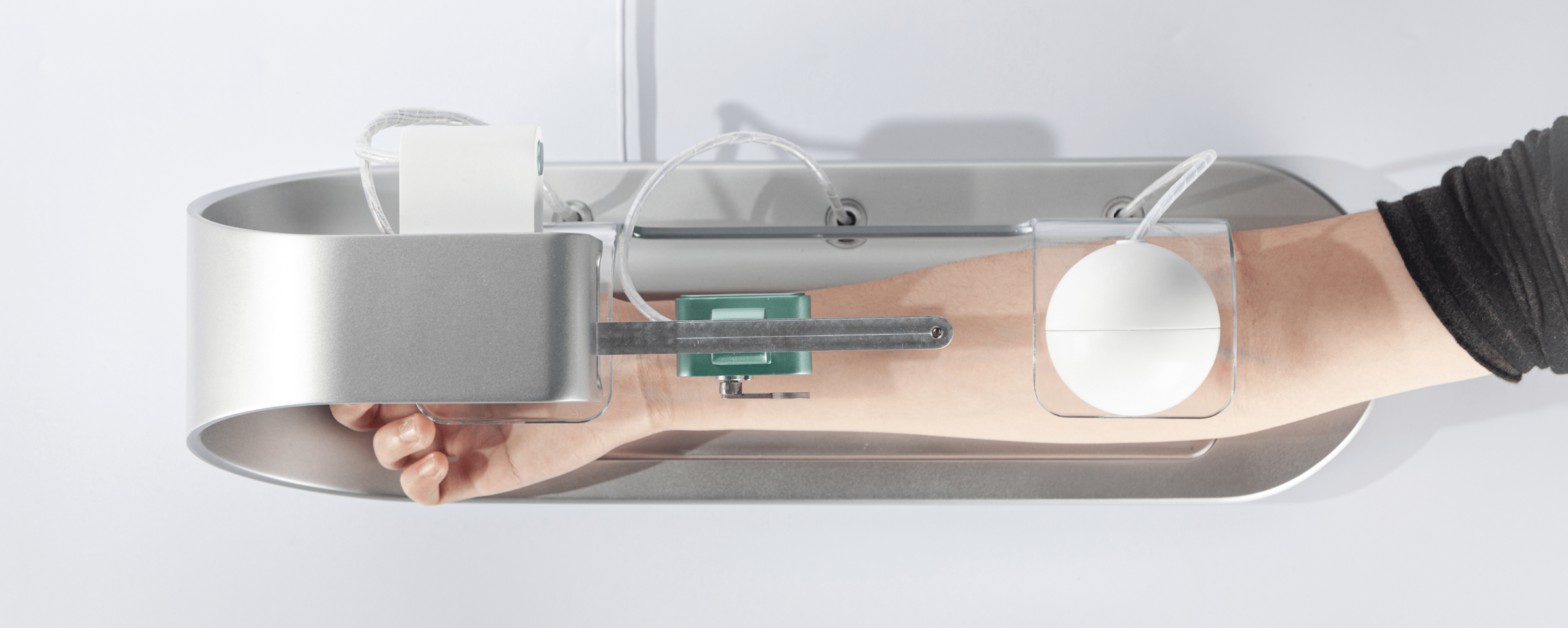
The purpose of the hardware printing device is to create a profound connection between individuals and their tasks. By using temporary sensations of discomfort and leaving tangible imprints on the skin, it serves as a unique medium for recording to-do lists. This innovative approach not only engages the sense of touch but also reinforces visual cues, thereby strengthening memory and allowing individuals to fully immerse themselves in the experience of life.

Form Design

The product defies conventional design forms, daring to push boundaries and redefine aesthetics. With a philosophy of "form follows function," it seamlessly integrates beauty and functionality.By incorporating pressure detection technology, it delicately creates marks that are both precise and appropriate, evoking a sense of emotional connection between users and their tasks.

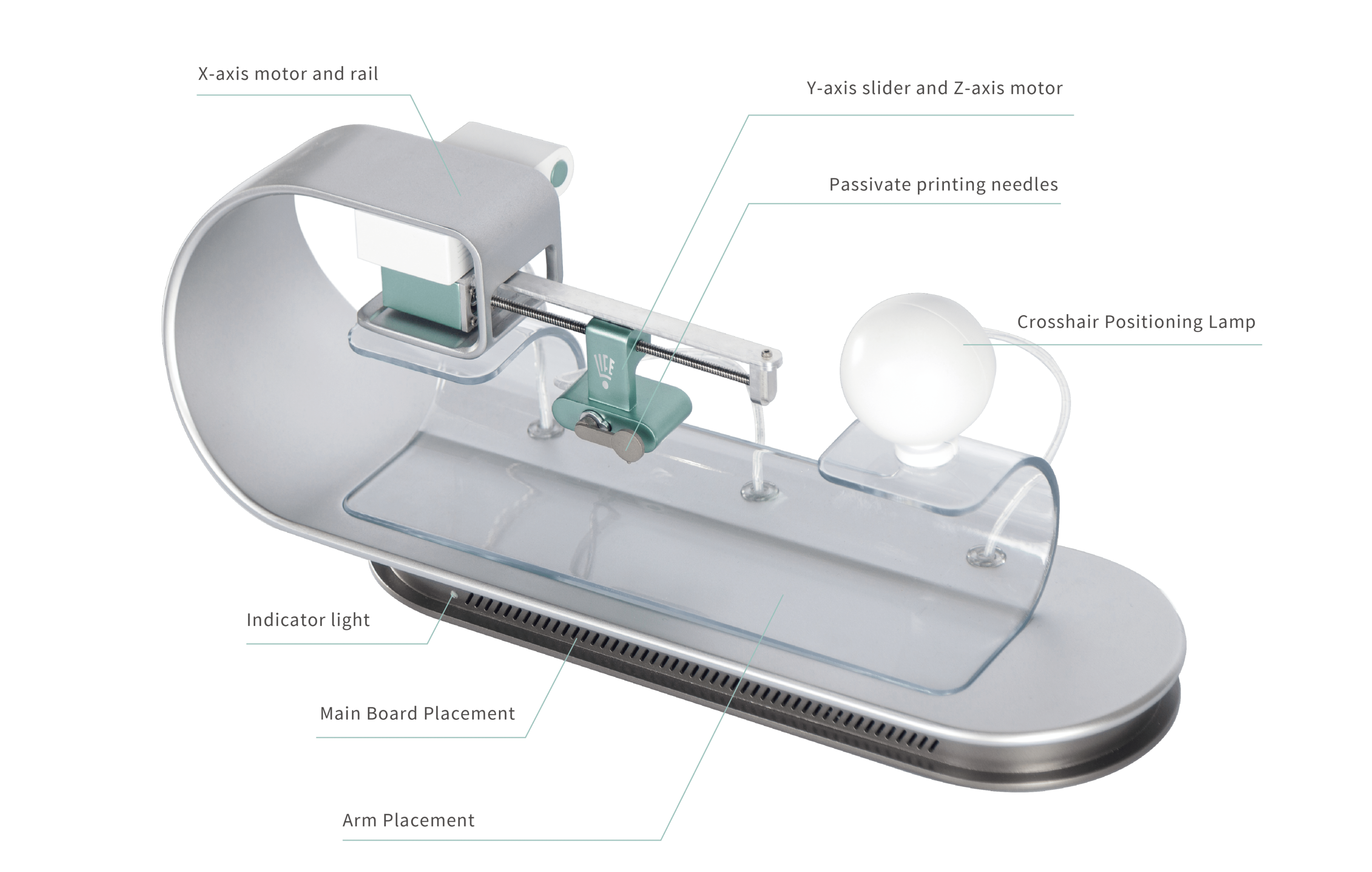
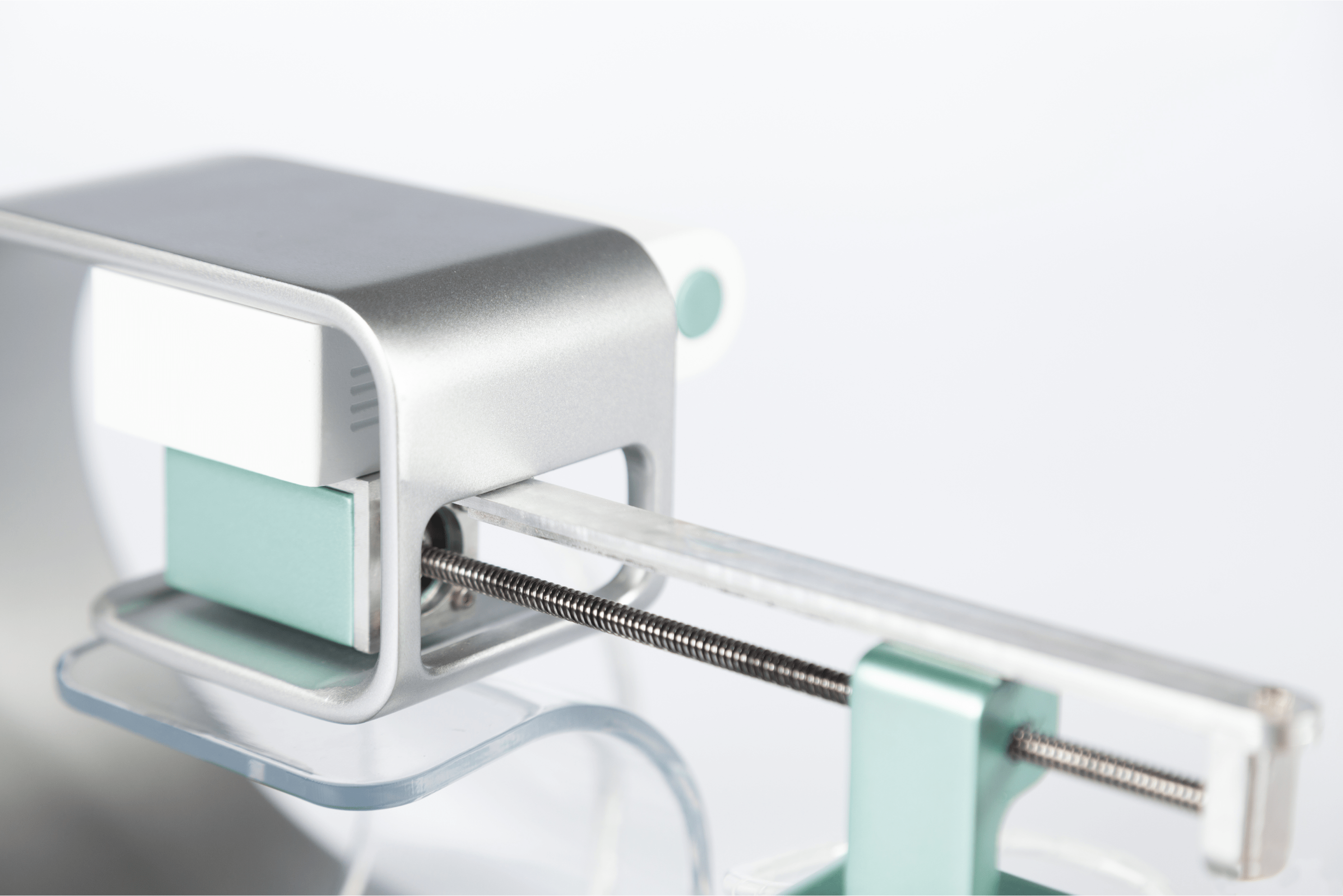
To ensure a harmonious blend of aesthetics and functionality, meticulous attention is given to every motor, striking a delicate balance between size, torque, and load-bearing capacity.

To aid users in precisely positioning their arm, the device incorporates a cross-axis system featuring vertical and horizontal lines. By aligning these lines, users can effortlessly identify the central position, ensuring accurate placement for optimal results.

When the hardware is activated for printing, the Y-axis slide rail smoothly moves along with the servo motor on the Z-axis. Upon reaching the designated printing position, the servo motor gently presses down the printing needle, creating precise imprints on the inner side of the user's arm.

Details

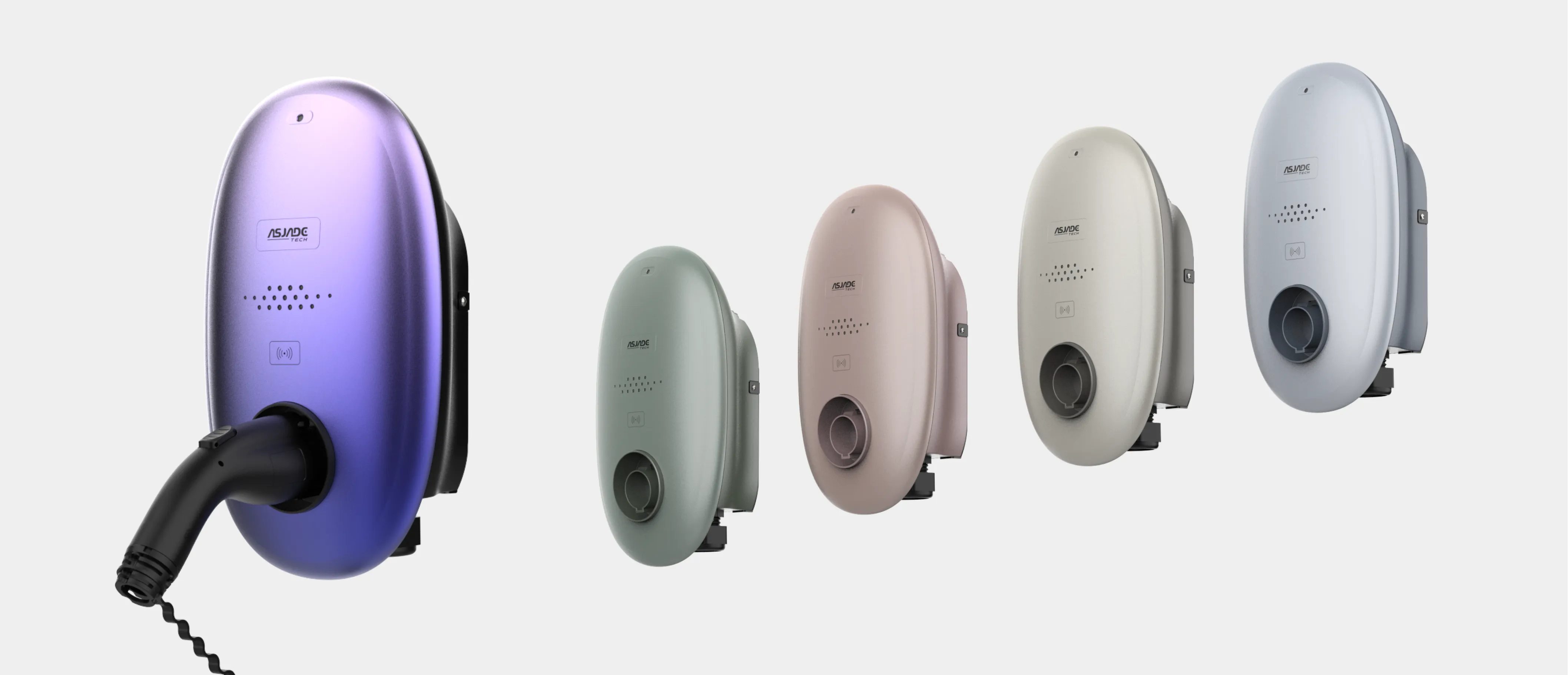
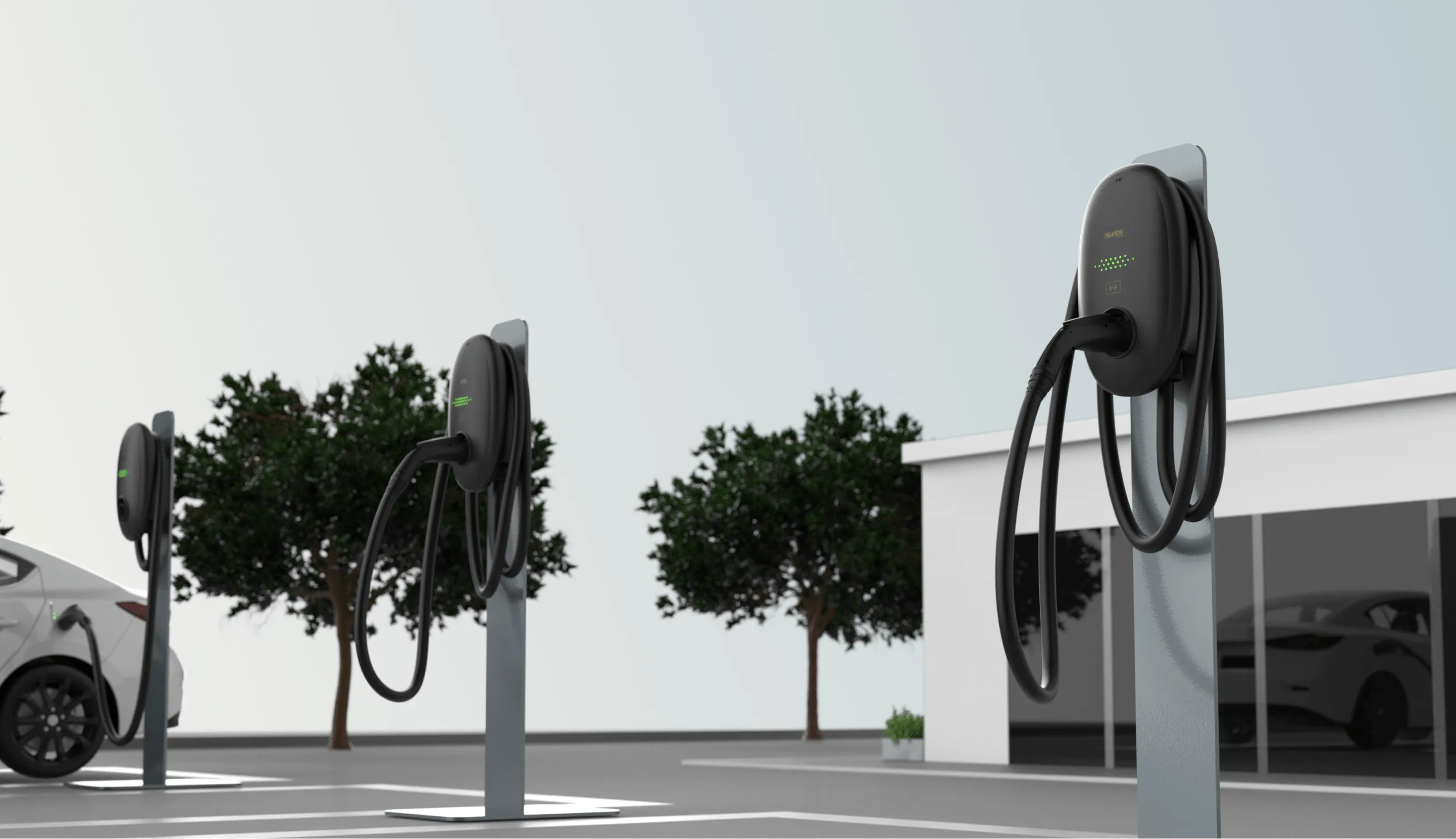
The product requirement aims to break away from the conventional square-shaped design of most AC EV Chargers on the market, while incorporating the company's brand attributes of gentleness and approachability. The objective is to create a product that seamlessly integrates into any setting with its soothing and inviting aesthetic. The use of soft decorative lines adds a unique visual appeal, allowing for the discovery of intricate details within the simplicity of the design, reflecting the Asian aesthetic sensibilities. The LED aperture design further enhances the gentle ambiance, serving not only to indicate charger status but also to convey messages in a more subtle manner through the overall visual presentation.
Light Sensor
RFID

Project Process

Research
To meet the demands of CPOs (Charging Point Operators), the EV Charger is available in two variants: one with an LCD display and the other without.
Test & Improve
To meet the demands of CPOs (Charging Point Operators), the EV Charger is available in two variants: one with an LCD display and the other without.
Define
To meet the demands of CPOs (Charging Point Operators), the EV Charger is available in two variants: one with an LCD display and the other without.
Design & Development
To meet the demands of CPOs (Charging Point Operators), the EV Charger is available in two variants: one with an LCD display and the other without.

Typography & Color

Typography
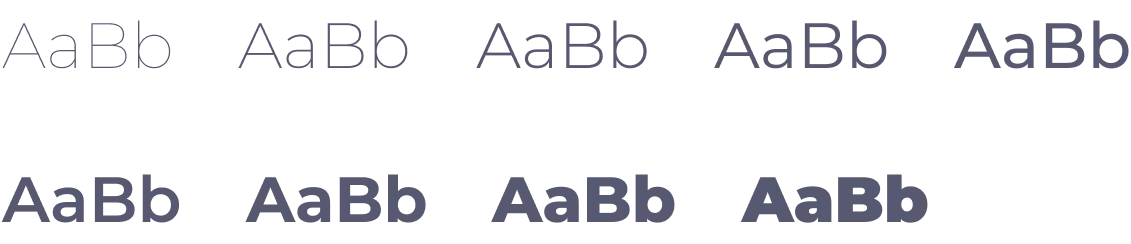
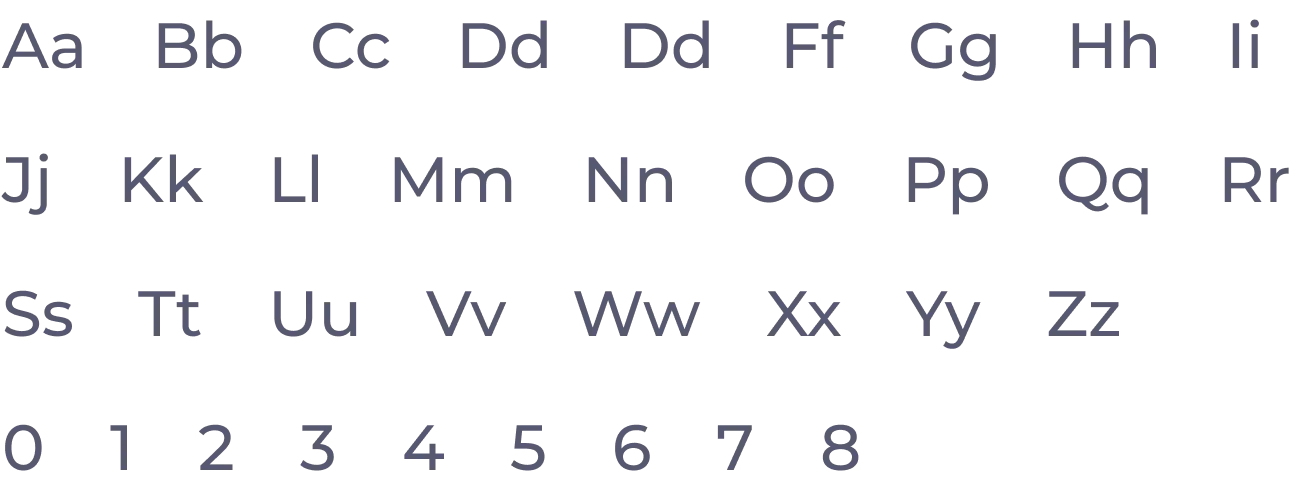
Montserrat is a sans-serif typeface renowned for its modern, clean, and exceptional legibility. With its sleek and straightforward lines and a touch of geometric essence, it effortlessly shines across diverse scenarios. This makes it an ideal choice for tech brands looking to convey a sense of contemporary aesthetics and innovation.
Weight
Letters & Numbers

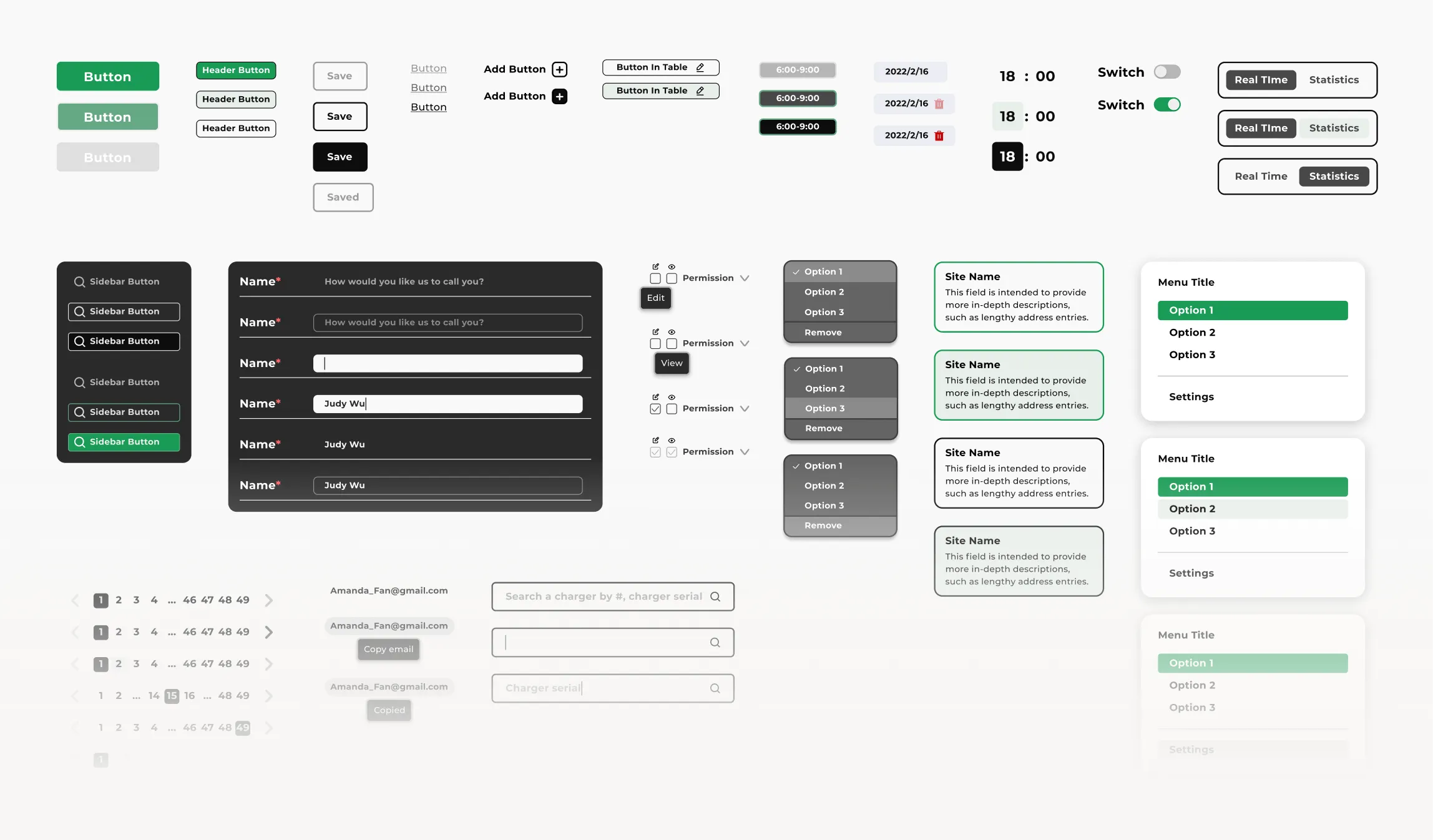
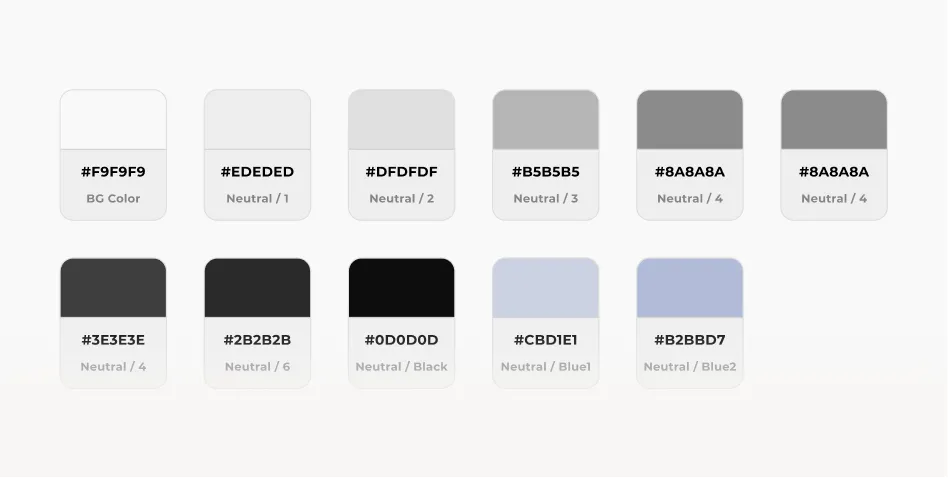
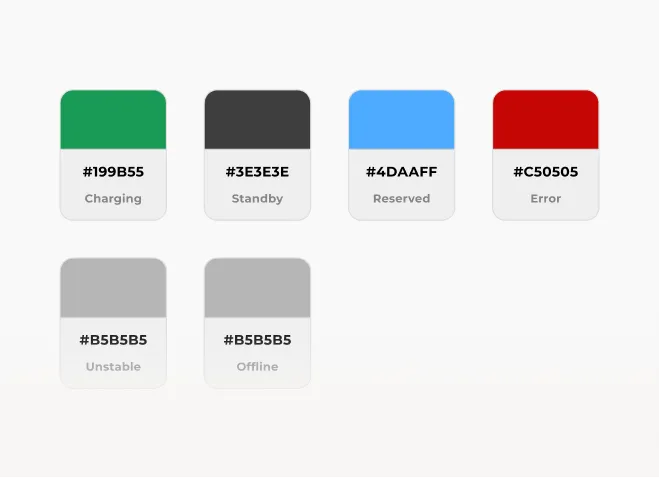
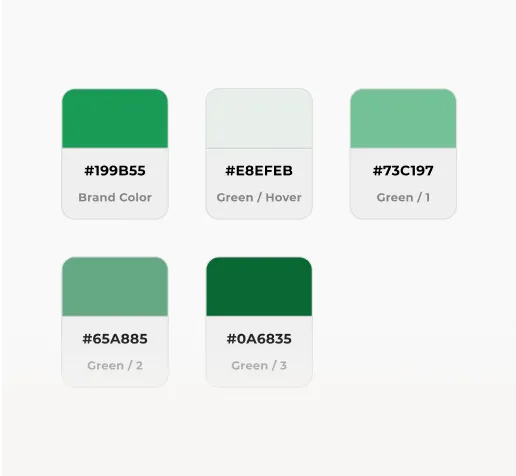
Design System

Typography
Color / Neutral
Color / Charger Status
Color / Brand Green

Features

Overview
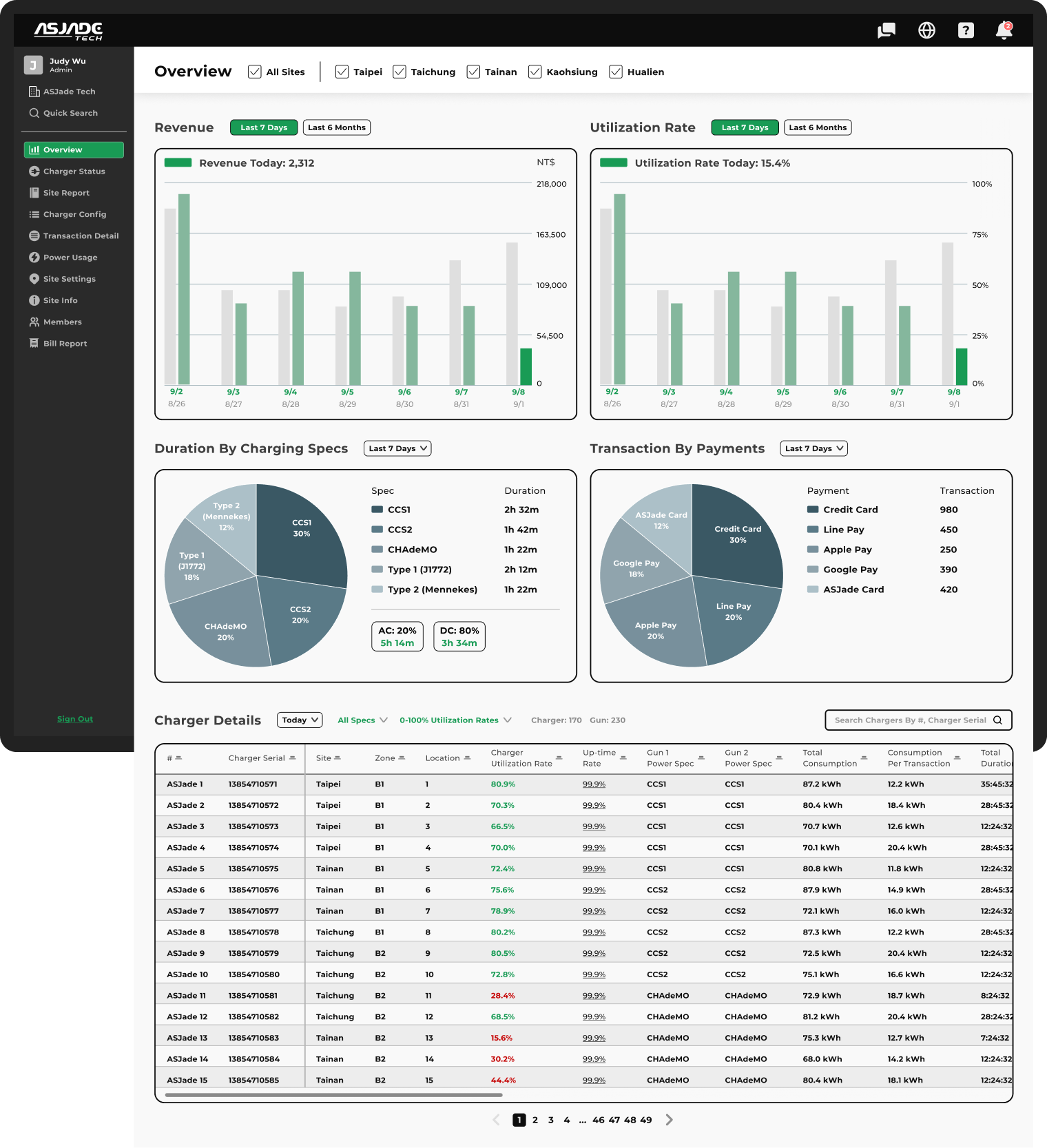
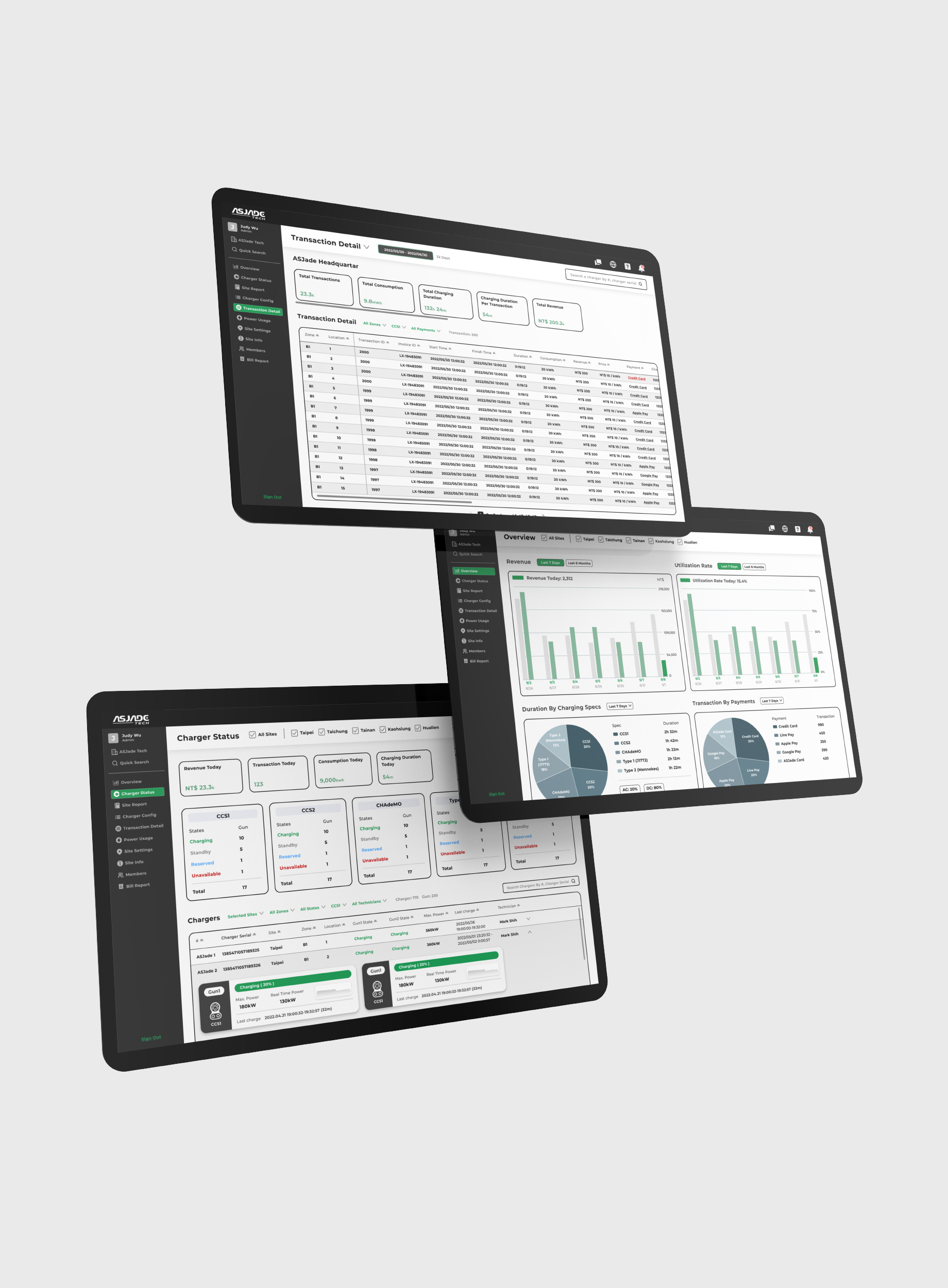
The Overview feature serves as a valuable tool for CPOs to gain quick insights into the recent operational performance of charging stations. This includes revenue and charging station utilization.

Additionally, it offers usage ratio of charging specs and payment methods, enabling CPOs to make informed operational decisions. For instance, they can identify the need to increase the number of highly utilized chargers for specific charging specs or enhance the payment process for the most frequently used payment methods, thus improving the overall user experience.

Moreover, the Charger Details section provides in-depth information about each charger, including uptime rates, and other relevant details, allowing CPOs to assess and optimize their operations more effectively.
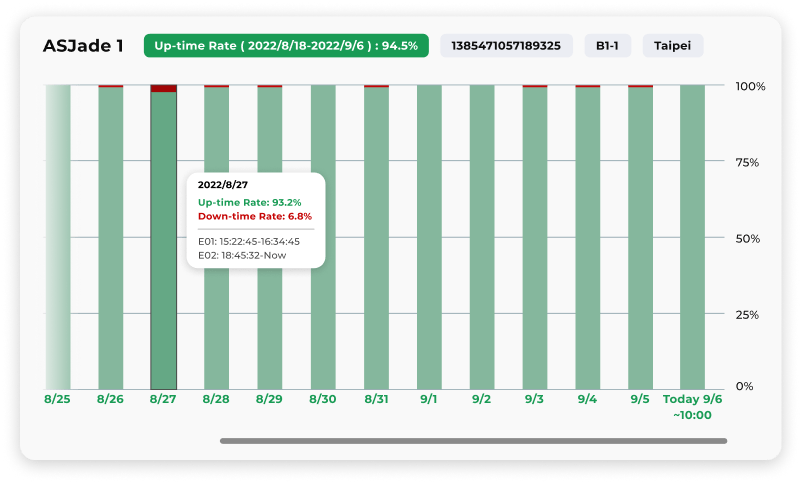
Up-time Rate
Up-time Rate provides CPOs with valuable insights into the stability and reliability of the system.
Charger Status
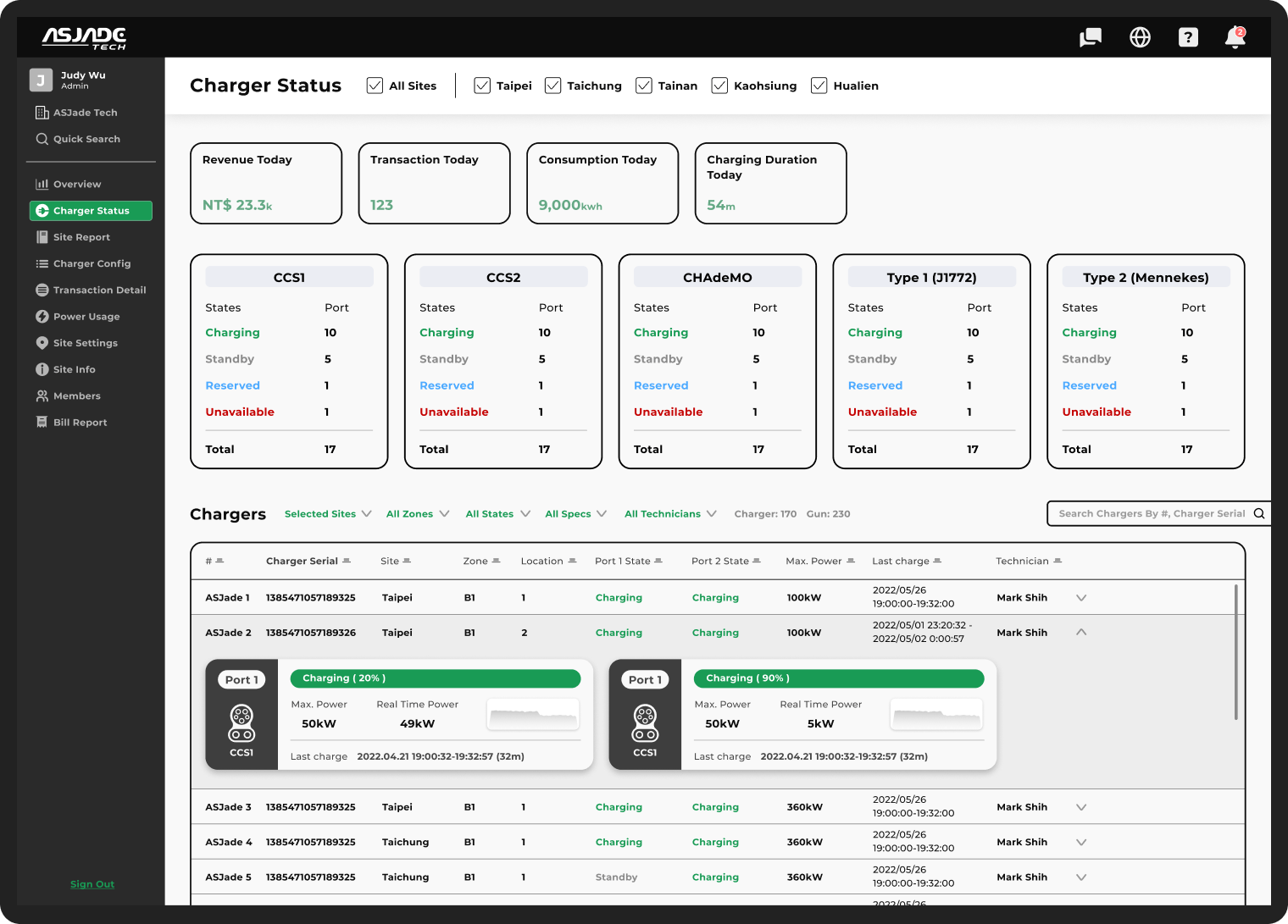
The top section presents key metrics like revenue, transactions, consumption, and total charging hours, providing a quick snapshot of the day's operations

The second layer displays live status for chargers based on specs, showing availability, standby, reservations, and unavailability.
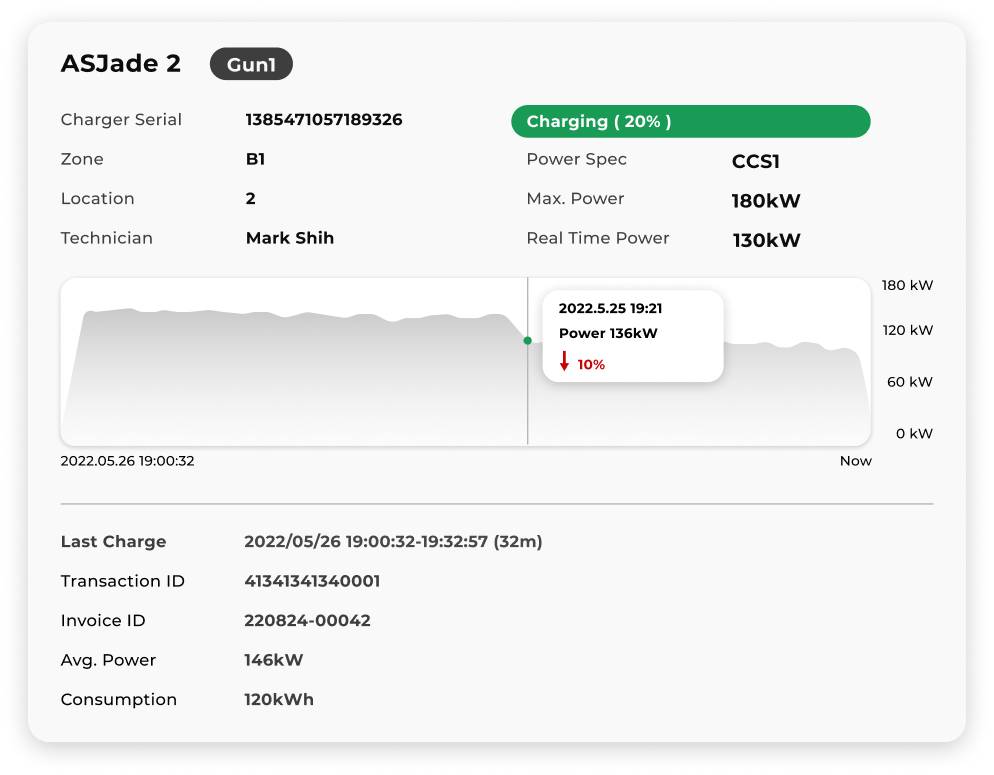
The Table view allows CPOs to monitor the live status of each charger. By expanding the information, users can click on the charger port card to access more detailed insights. This includes real-time power, and a power trend chart since activation. This enables CPOs to assess whether the charger is functioning properly and make informed decisions based on its performance.
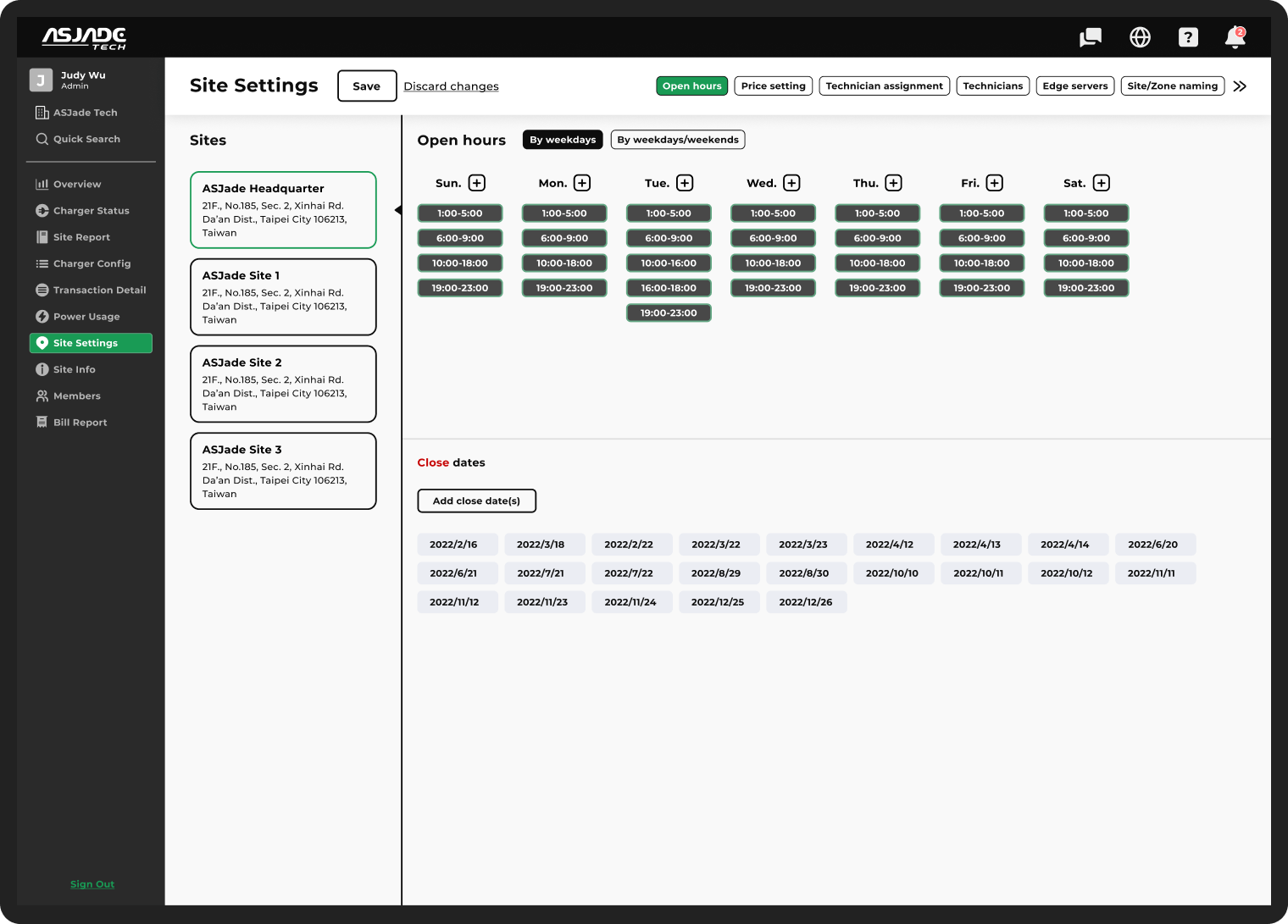
Open Hour Setting
The Open Hour Setting feature empowers CPOs to effortlessly control site operating hours through cloud-based management.

With a user-friendly interface, CPOs can select the desired site from the sidebar and easily set up operating hours for each day of the week.

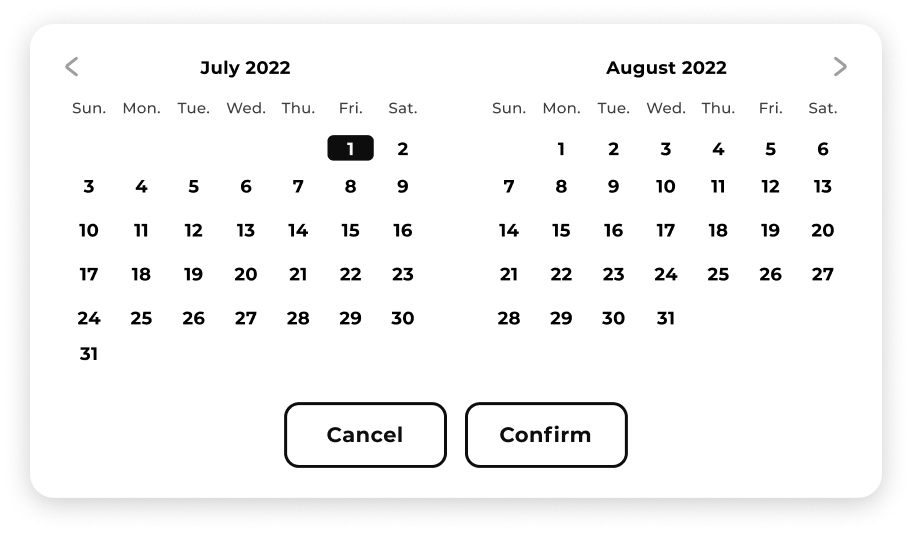
Moreover, the Close Dates functionality allows CPOs to designate specific non-operating days as needed.

This  interface simplifies the process of managing open hours, ensuring efficient operations for CPOs.

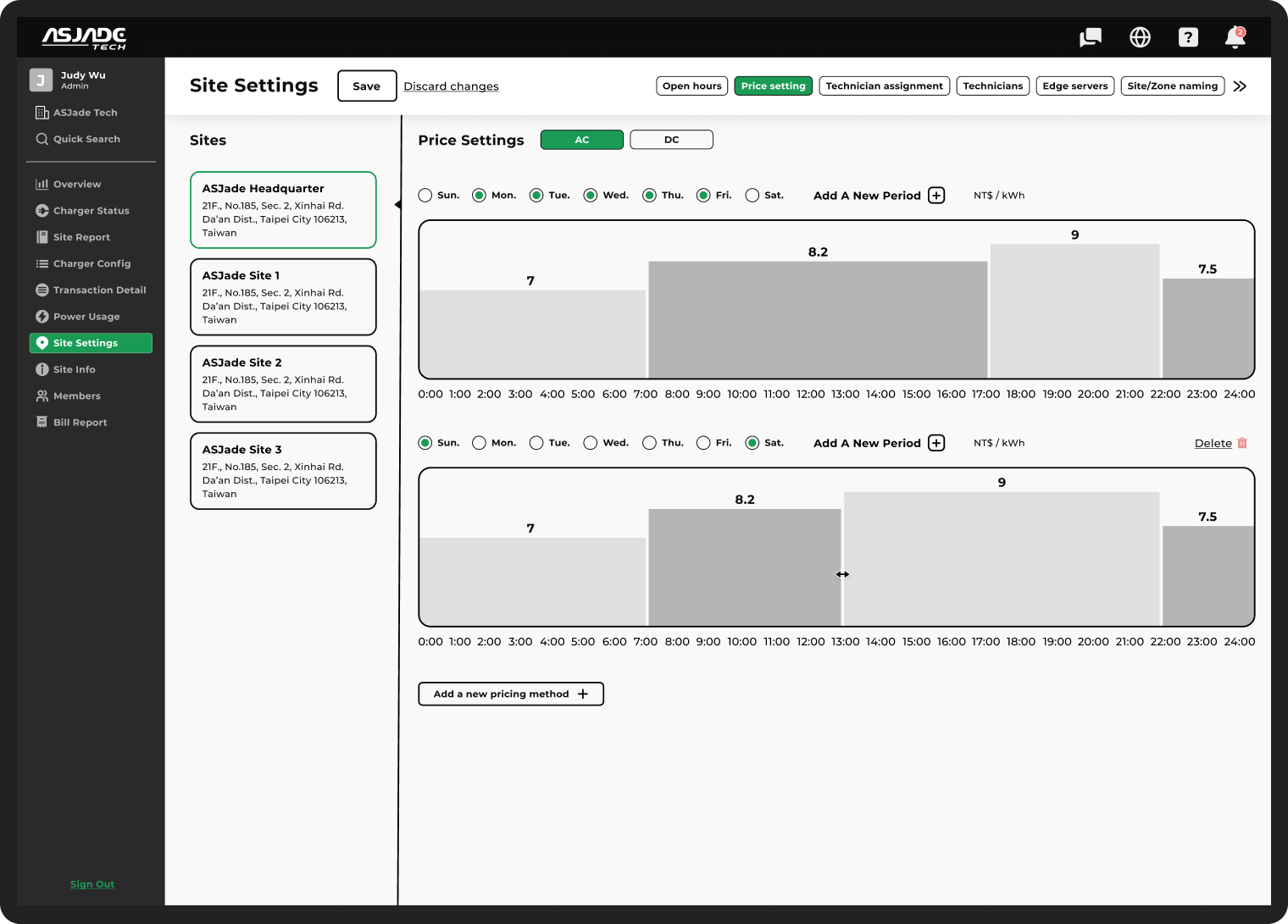
Price Setting
The Price Setting feature provides CPOs with a user-friendly and visually intuitive interface. CPOs can drag and adjust the time periods, and clicking on them to input precise prices.

To ensure that prices are set during site operating hours, the design employs an exclusionary approach. Initially, CPOs see one pricing method, with all days of the week selected by default. If CPOs add a new pricing method and select Sunday, the Sunday of the first pricing option is automatically deselected. Similarly, when deleting the second pricing method, the system automatically assigns Sunday to the first pricing method.

This design ensures efficient and accurate price management while maintaining clarity and ease of use for CPOs.

Components

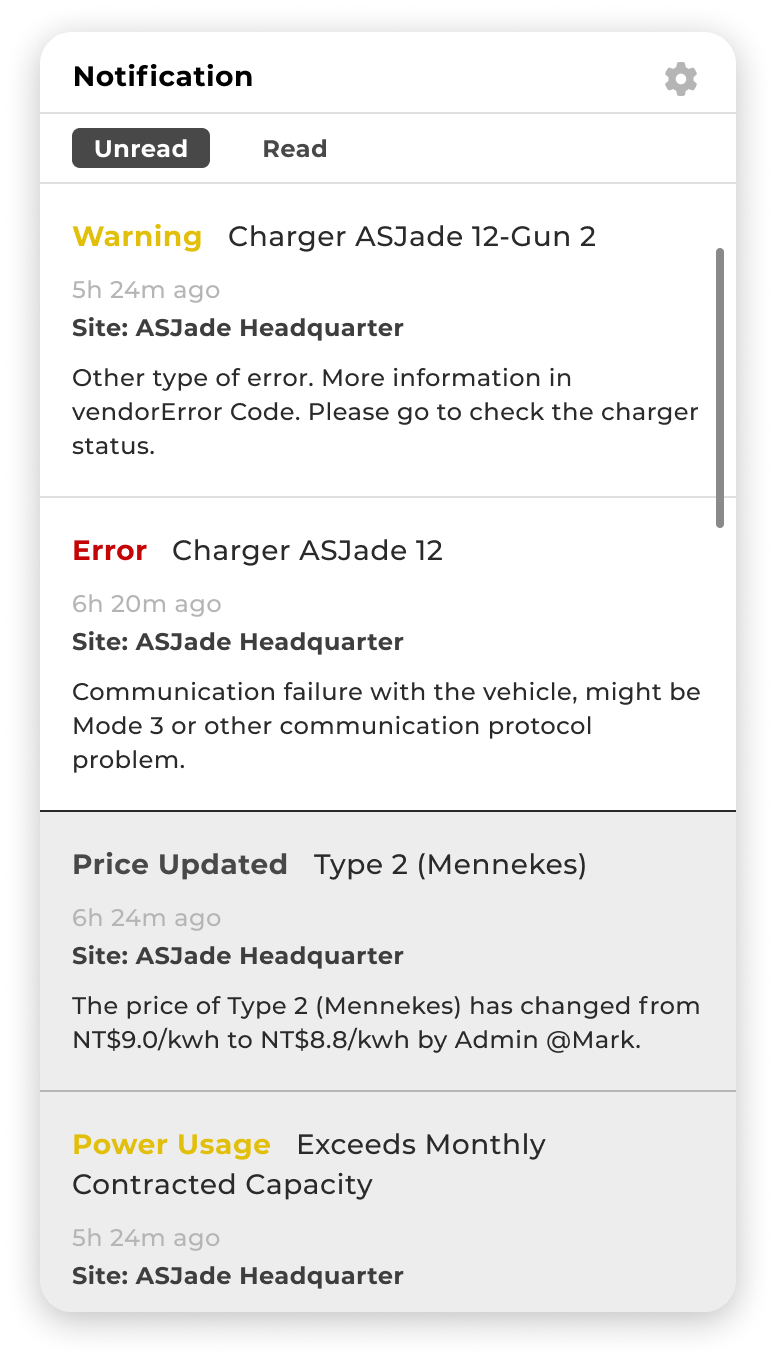
Notification
The Notification feature provides real-time alerts to CPOs regarding any issues or events related to the site or chargers. It ensures that CPOs are promptly notified of any status changes or incidents that require attention.
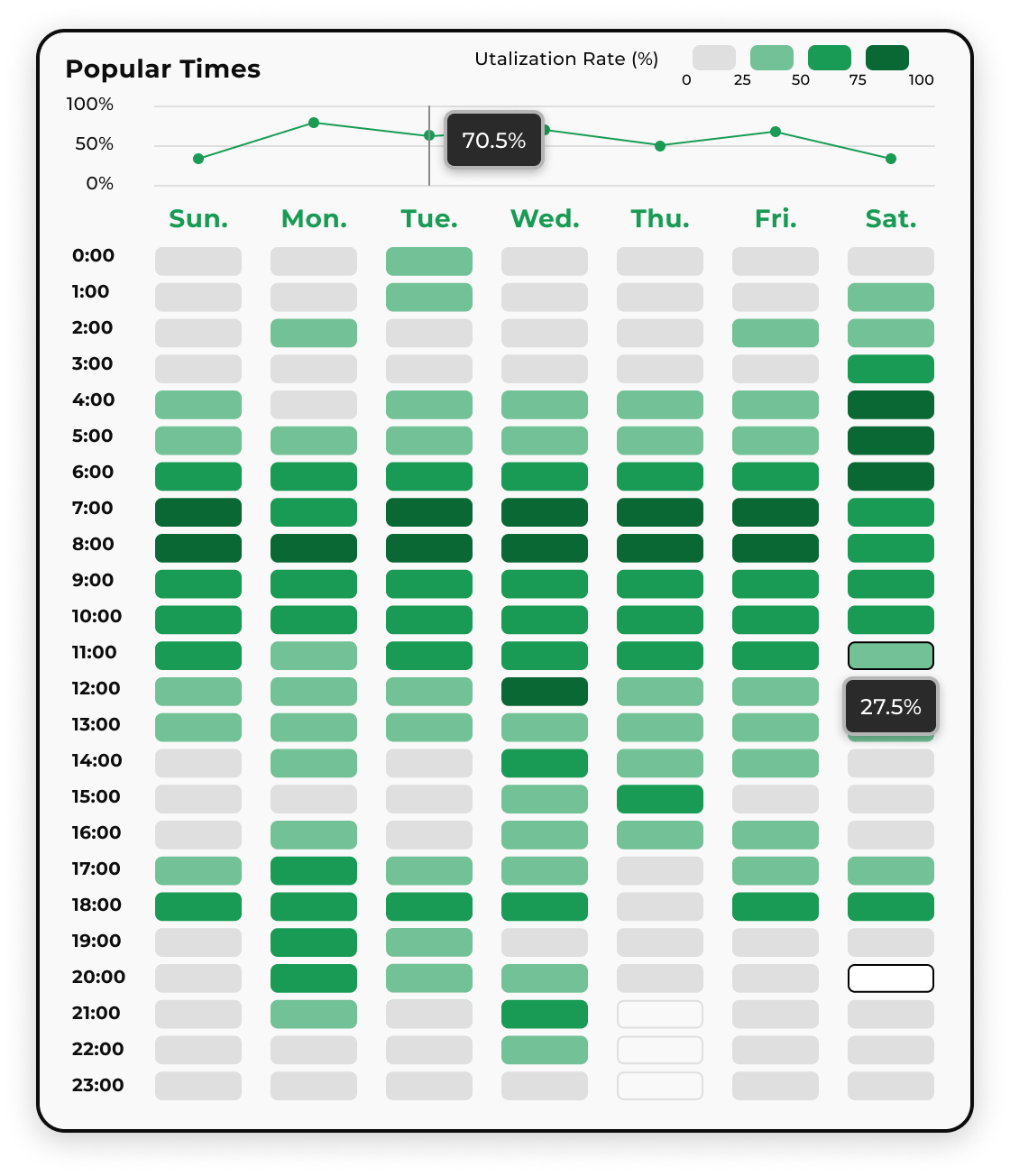
Popular Times
The Popular Times feature helps CPOs gain detailed insights into usage rates. It provides valuable information about the peak and off-peak periods, allowing CPOs to understand when charging stations are most heavily utilized. This data can assist in resource allocation, operational planning, and optimizing user experience

More Features

Sign Up
Company Setting
Permission settings
EV Charger Onboarding
Power Usage
Site (Station) Report
Technician Assignment
Transaction Details

Scenario

Homepage
Homepage - Solution
Product
Contact

Typography & Color

Typography
Montserrat is a sans-serif typeface renowned for its modern, clean, and exceptional legibility. With its sleek and straightforward lines and a touch of geometric essence, it effortlessly shines across diverse scenarios. This makes it an ideal choice for tech brands looking to convey a sense of contemporary aesthetics and innovation.
Weight
Letters & Numbers
Primary color
Prairie Green
Prairie Green represents the concept of new energy and innovation, serving as the brand's CIS color. This shade of green symbolizes environmental friendliness, sustainability, and innovation, while also evoking a sense of tranquility and reliability.
#199B55
Secondary color
Bright Green
To enhance visual impact, a bright green color was chosen as a secondary shade in icons and illustrations. This vibrant hue adds energy and allure, creating a striking contrast with the main color. It can be used to accentuate key icons and eye-catching illustrations.
#AADFD2

Project Process

Customized
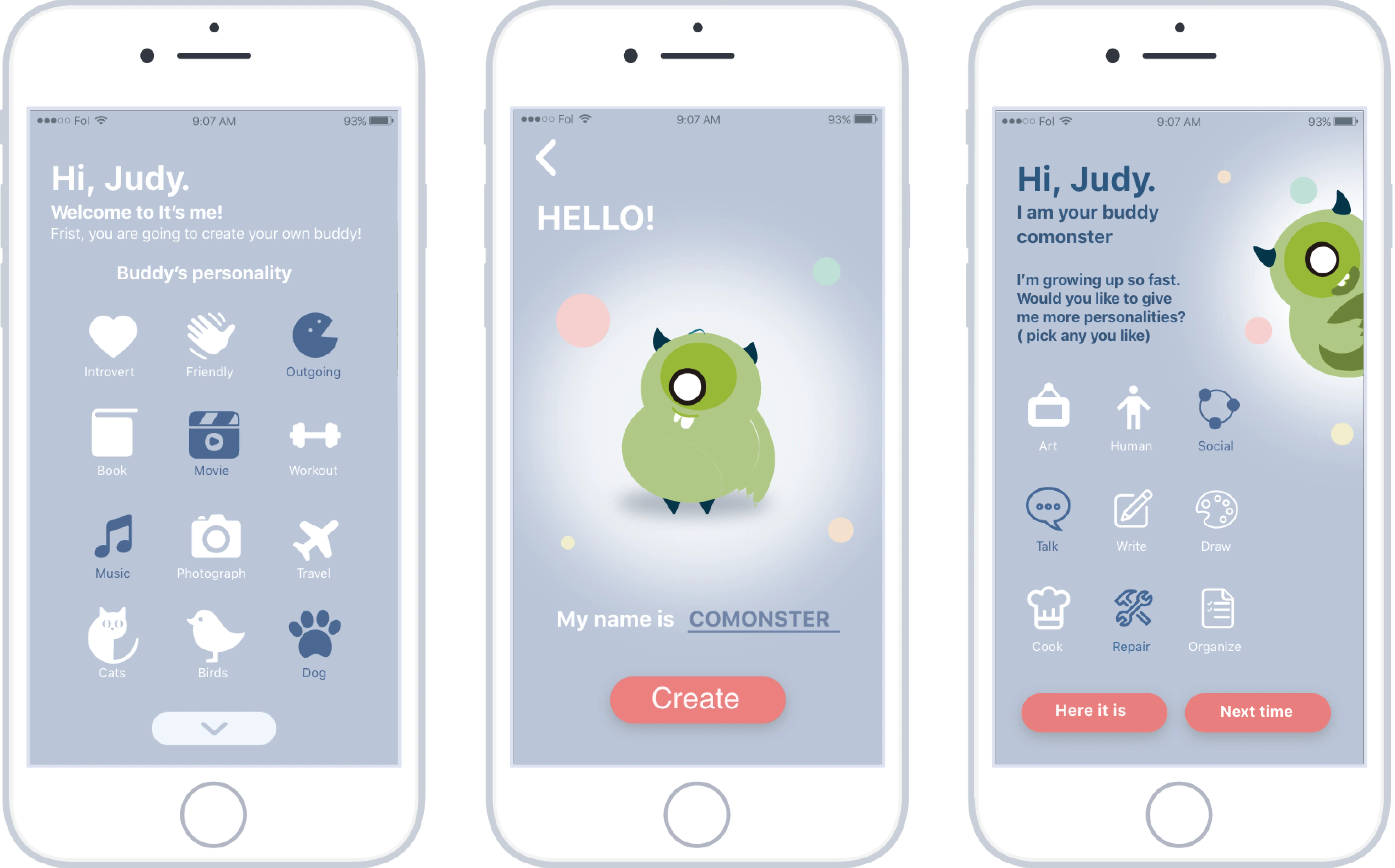
Emotion Interaction
Instinctive

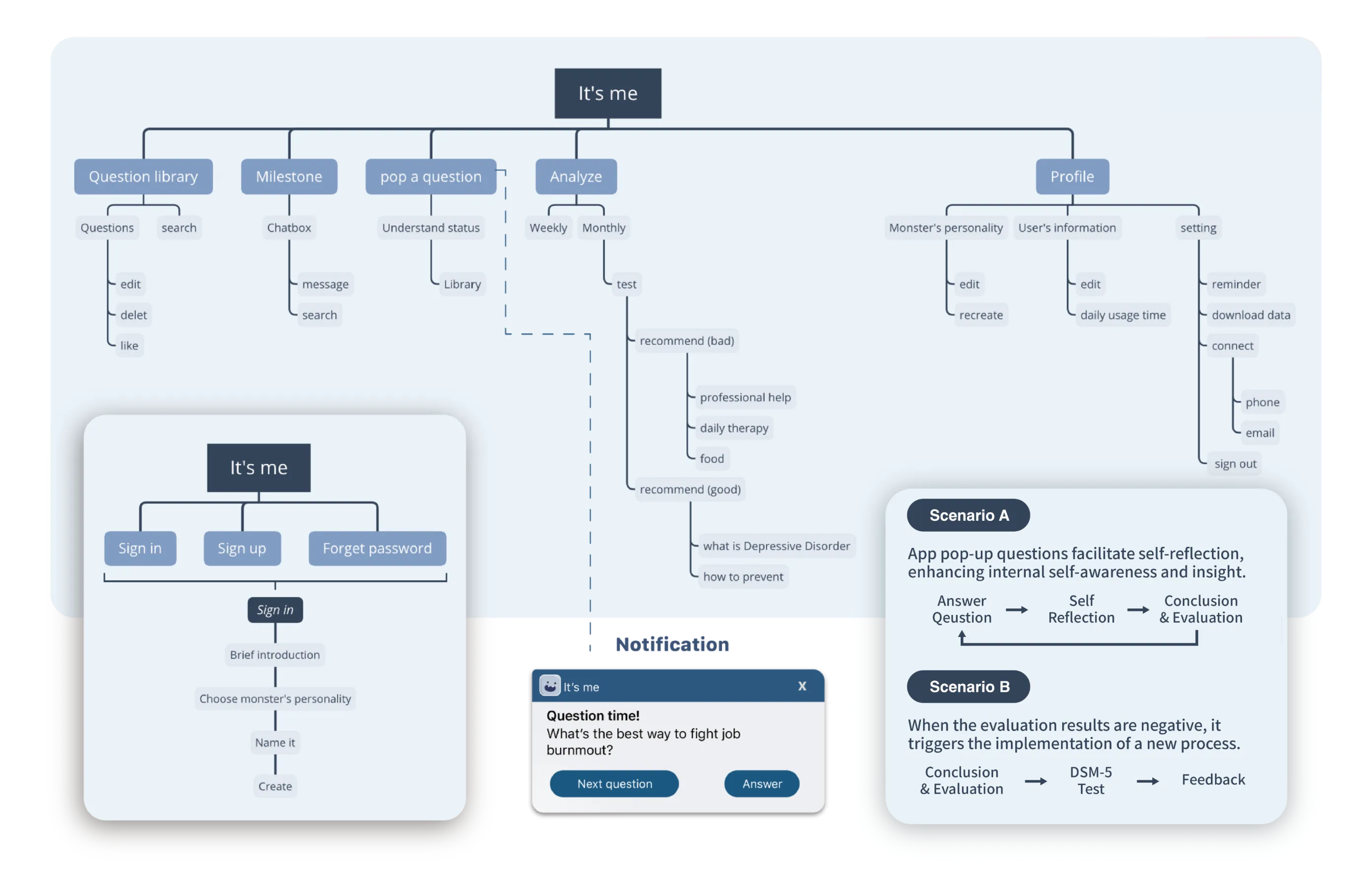
Sitemap

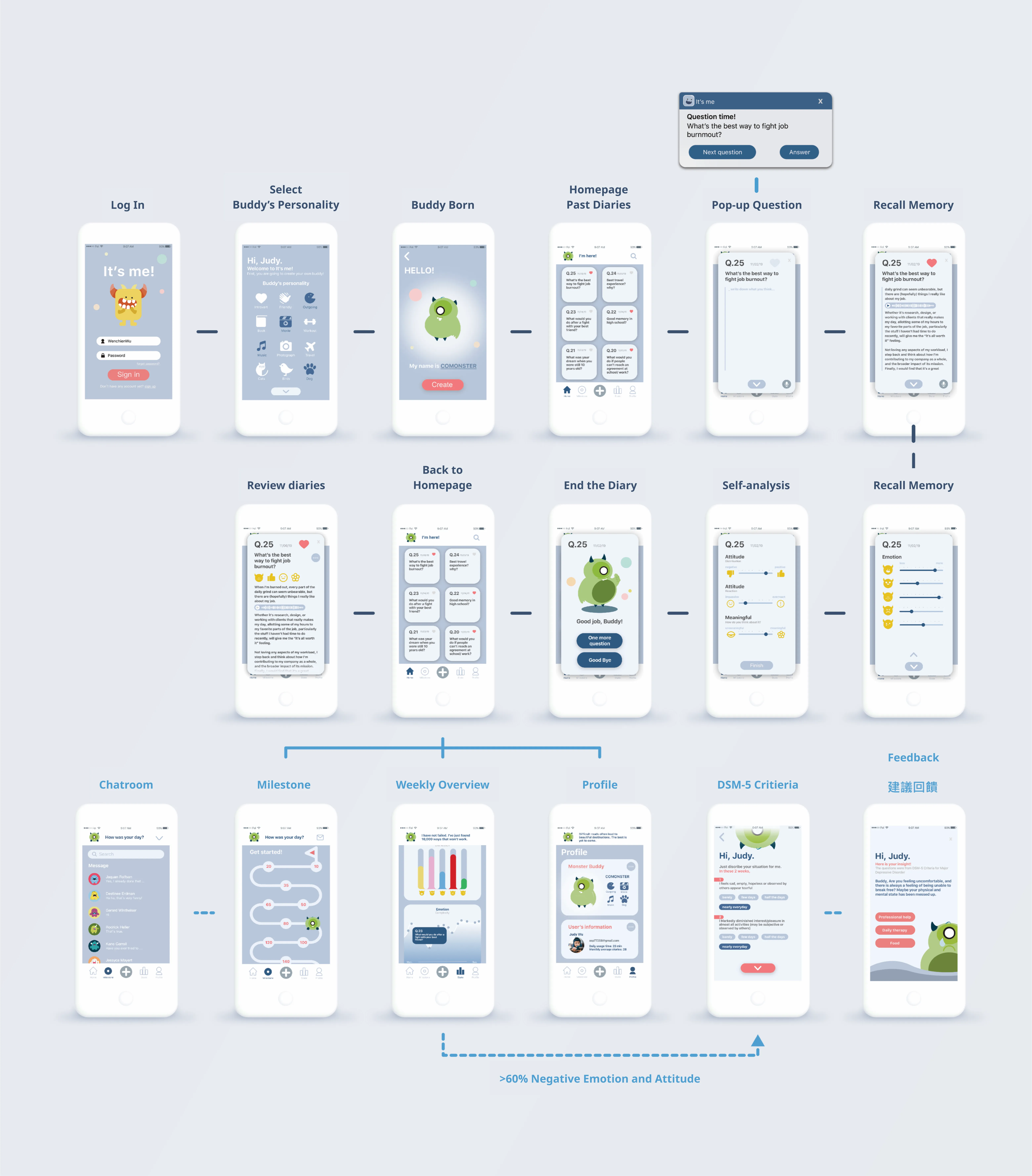
Userflow

Addressing Emotional Blind Spots
Human emotions can influence our judgment when answering questions or making assessments about events. Through pop-up questions, users are guided to first engage in reflective recall and then gain insights into their own emotional state.
How to enhance self-awareness?
Strong self-awareness entails high level of narrative and emotional intelligence, openness and a proactive attitude, and recognizing and accepting emotions. The app guides users to analyze their emotions, attitudes, and perceived significance towards events.

Conclusion

Throughout the years, we have seen the rise of companion-based games, such as Tamagotchi or online game pets. These companions provide emotional support to users even in solitary moments.

This is why the It's Me! app was created, starting with the concept of adorable creatures that guide users through various tasks. It offers a safe and comforting environment, enabling users to explore their inner selves through personal journaling and reflection.

Scenario

Step 1
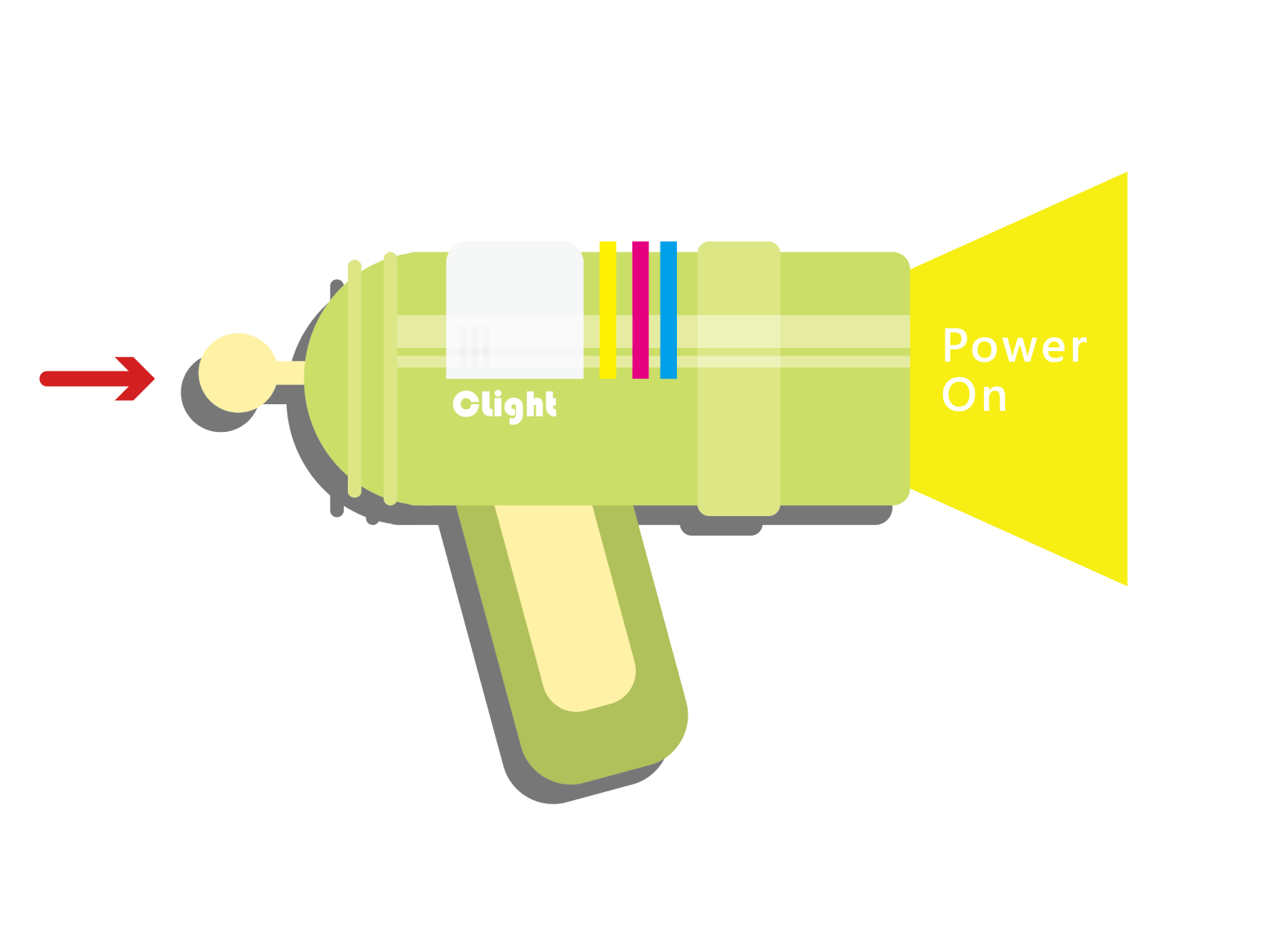
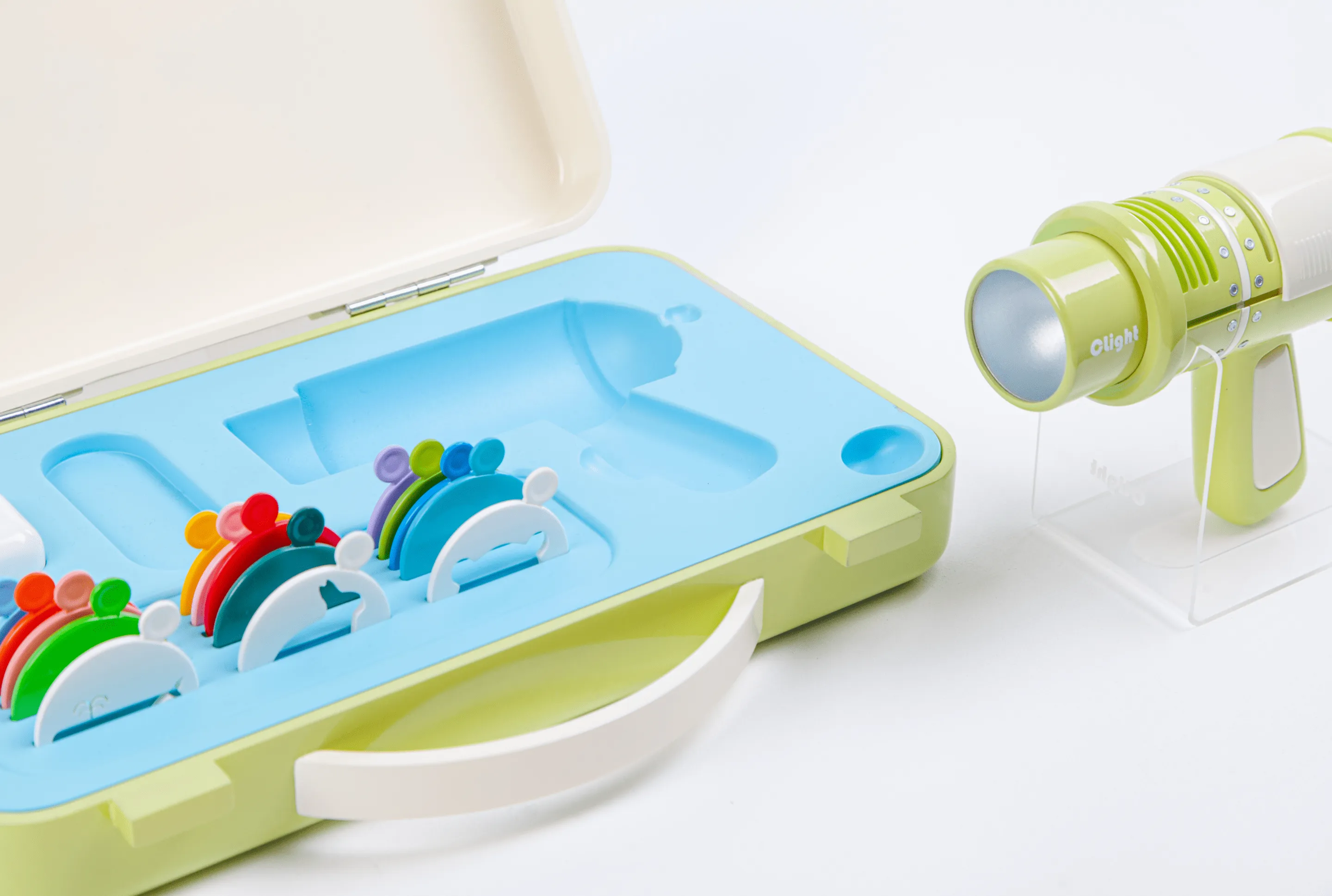
Insert color filters and shape filters
Step 2
Press the switch to activate the device
Step 3
Adjust the light intensity by pressing the switch twice
Step 4
Press and hold the switch to power off the device

Colors

Colors of pigments
The overlaid pigments become darker
Colors of light
The overlaid colors of light become brighter

Product

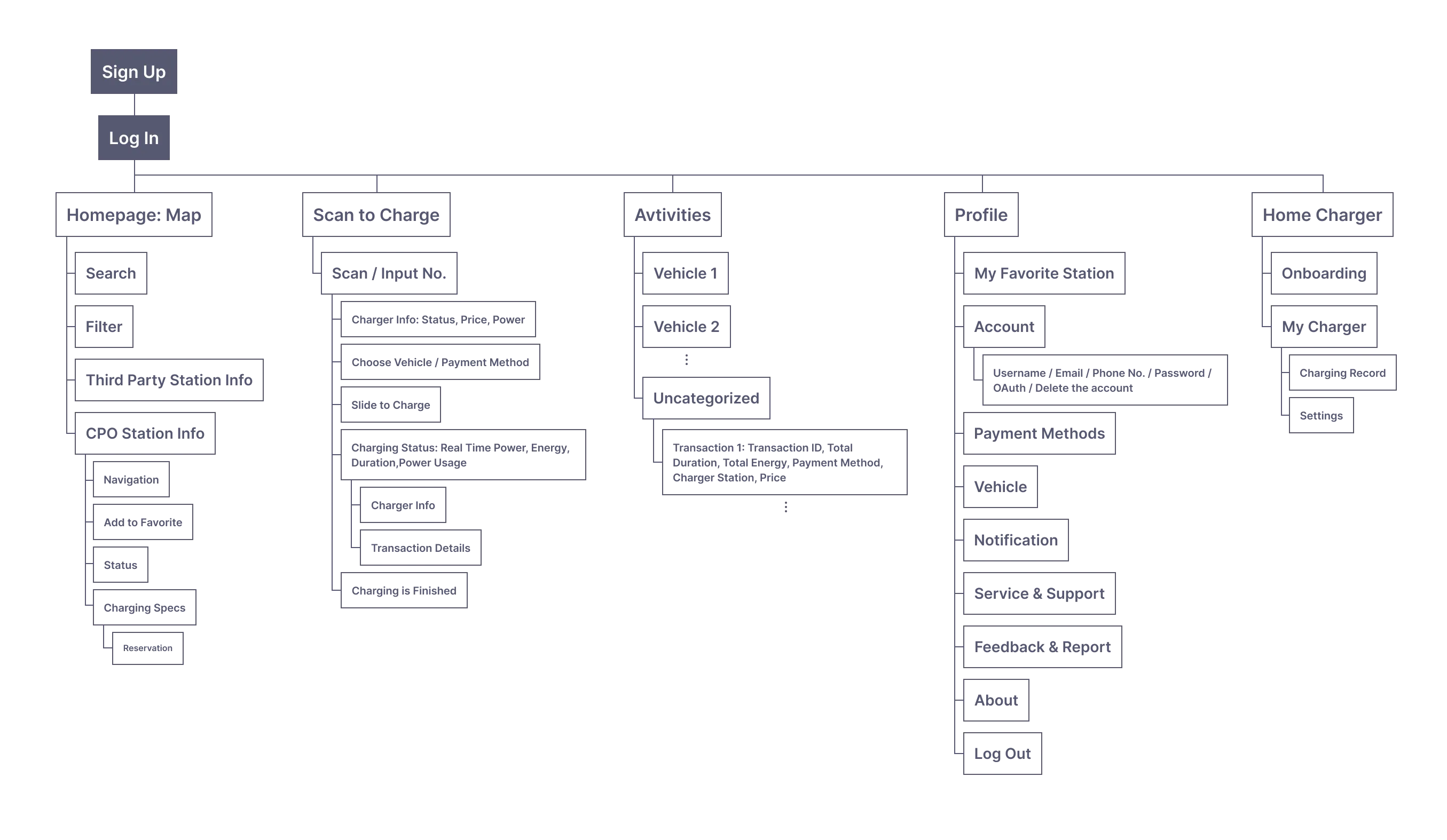
Sitemap

By crafting a Sitemap, the team can gain valuable insights into the resources and processes needed for the entire development, facilitating the organization of the product architecture.

Membership Plans

Our membership plans empower CPOs to maintain unparalleled flexibility in service delivery. The App segments users into three distinct groups: Member, Premium Member, and Visitor.

Moreover, to create an engaging journey, we have introduced a web version that enables users to experience our products quickly without the need to download the App. Users can effortlessly start charging, indulge in the experience, and later decide if they wish to download the App for a more enriched and complete service encounter.
Premium Member
Member
Visitor
Web View User
Payment Options

Mobile Payments,
Credit Cards,
Stored Value Cards

Permission to Save Payment Methods

Mobile Payments,
Credit Cards,
Stored Value Cards

Permission to Save Payment Methods

Mobile Payments
Credit Cards

Credit Cards

Station Information
V
V
V
X
Engaging Experience
eg. My favorite Station, My Vehicle Record
V
V
X
X
Exclusive Charging Offers
V
V
X
X
Home Charger Onboarding
V
V
X
X
Reservation Priority
1
2
X
X
Premium Member
Payment Options

Mobile Payments,
Credit Cards,
Stored Value Cards

Permission to Save Payment Methods
Engaging Experience
eg. My favorite Station, My Vehicle Record
V
Exclusive Charging Offers
V
Home Charger Onboarding
V
Reservation Priority
1
Member
Payment Options

Mobile Payments,
Credit Cards,
Stored Value Cards

Permission to Save Payment Methods
Engaging Experience
eg. My favorite Station, My Vehicle Record
V
Exclusive Charging Offers
V
Home Charger Onboarding
V
Reservation Priority
2
Visitor
Payment Options

Mobile Payments,
Credit Cards

Engaging Experience
eg. My favorite Station, My Vehicle Record
V
Exclusive Charging Offers
X
Home Charger Onboarding
X
Reservation Priority
X
Web View User
Payment Options

Credit Cards

Engaging Experience
eg. My favorite Station, My Vehicle Record
X
Exclusive Charging Offers
X
Home Charger Onboarding
X
Reservation Priority
X

Features

Sign In & Log In
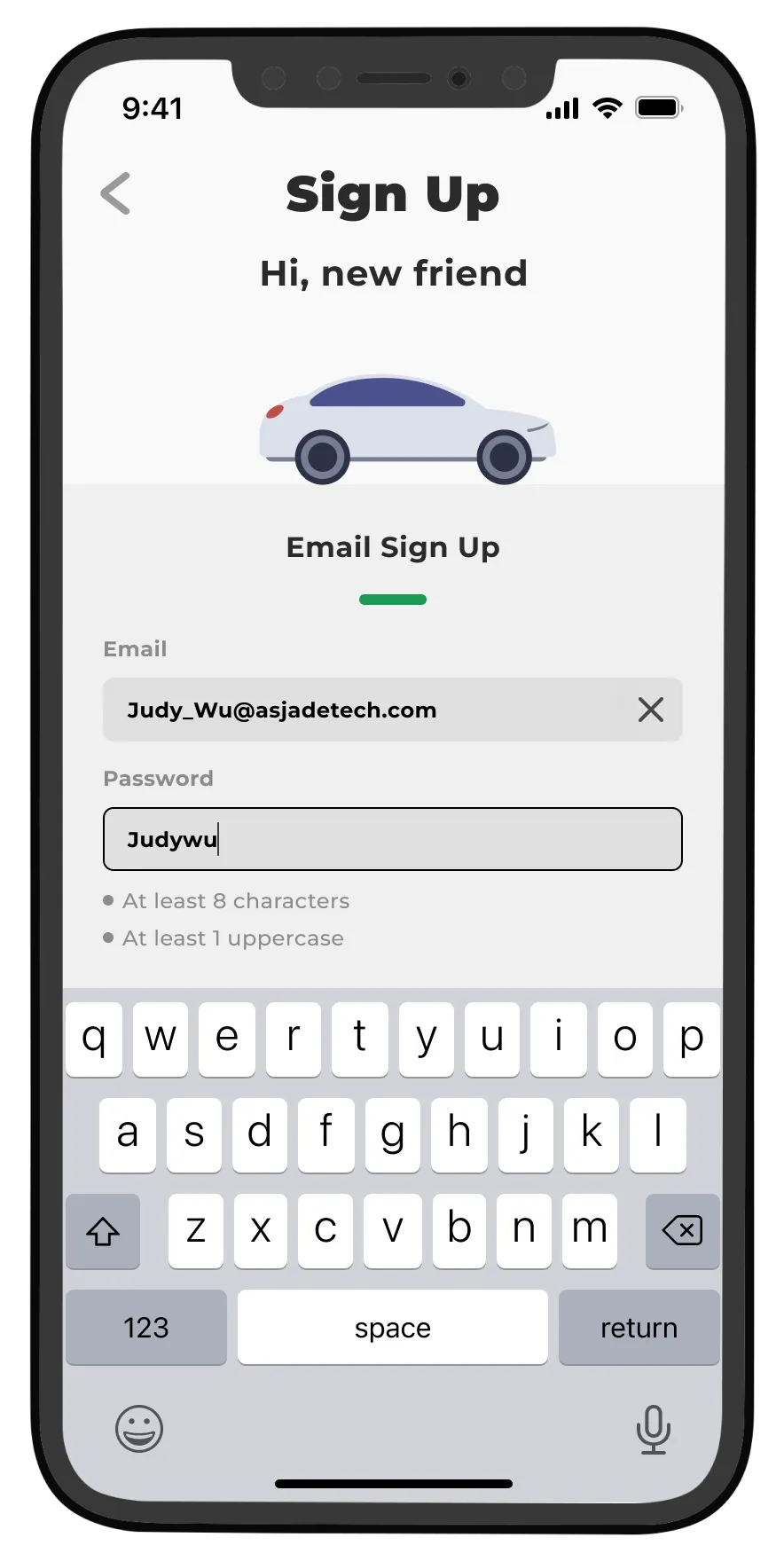
Enhancing the completeness of the registration processes, coupled with the meticulous refinement of the UI design in the opening and registration screens, plays a crucial role in building users' trust in the product. It also has a profound influence on fostering long-term engagement.
Add Payment Methods
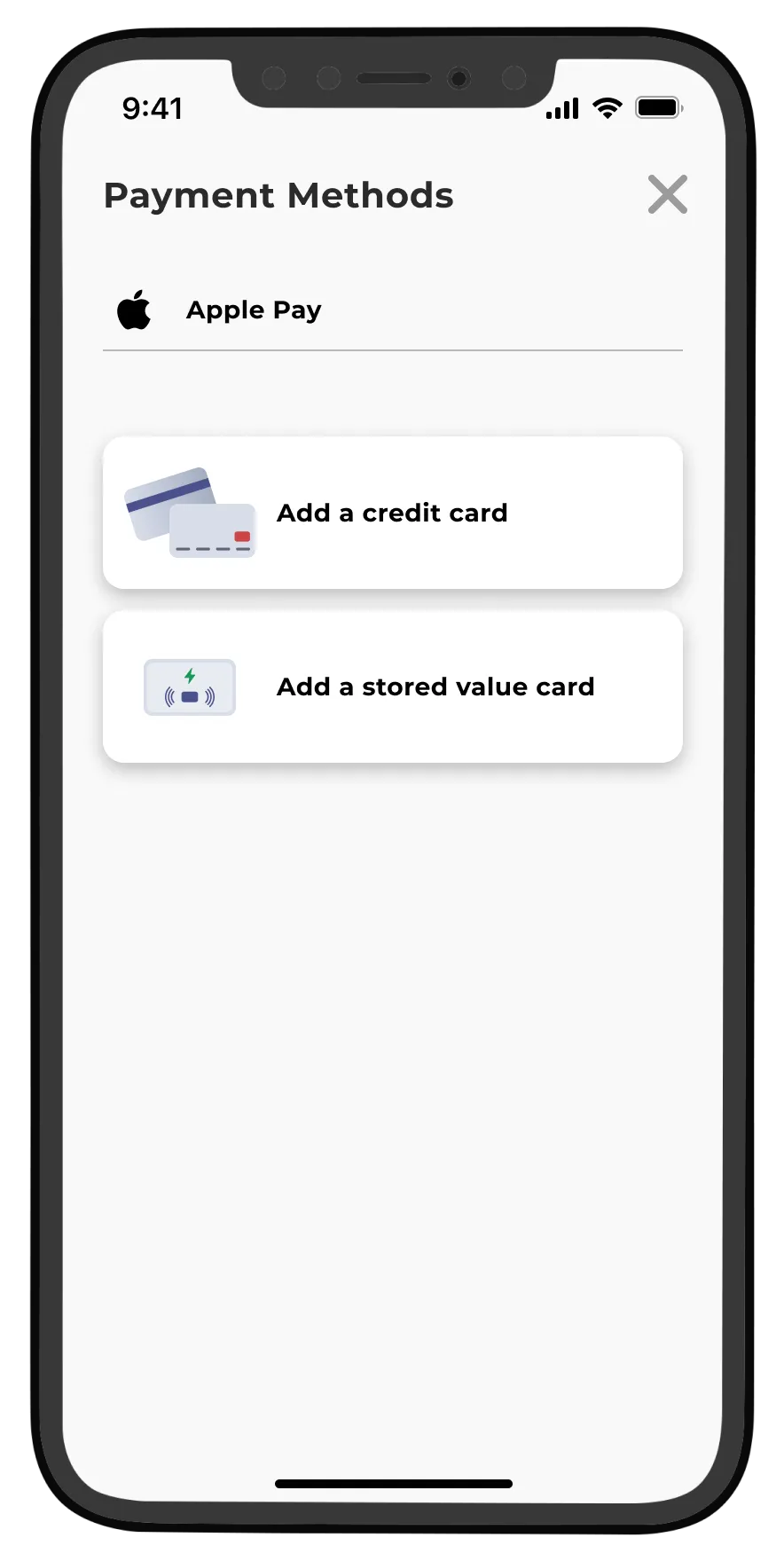
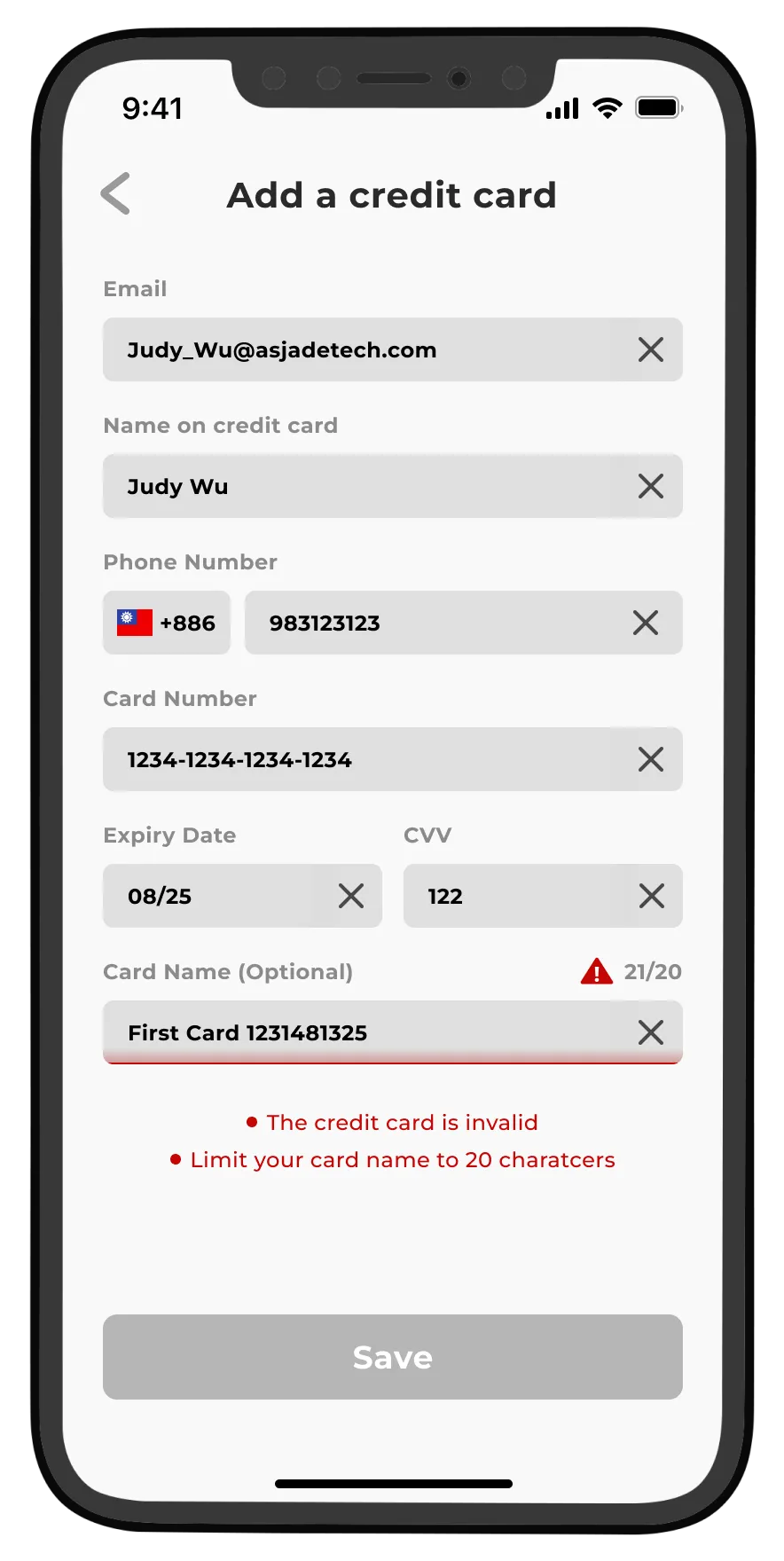
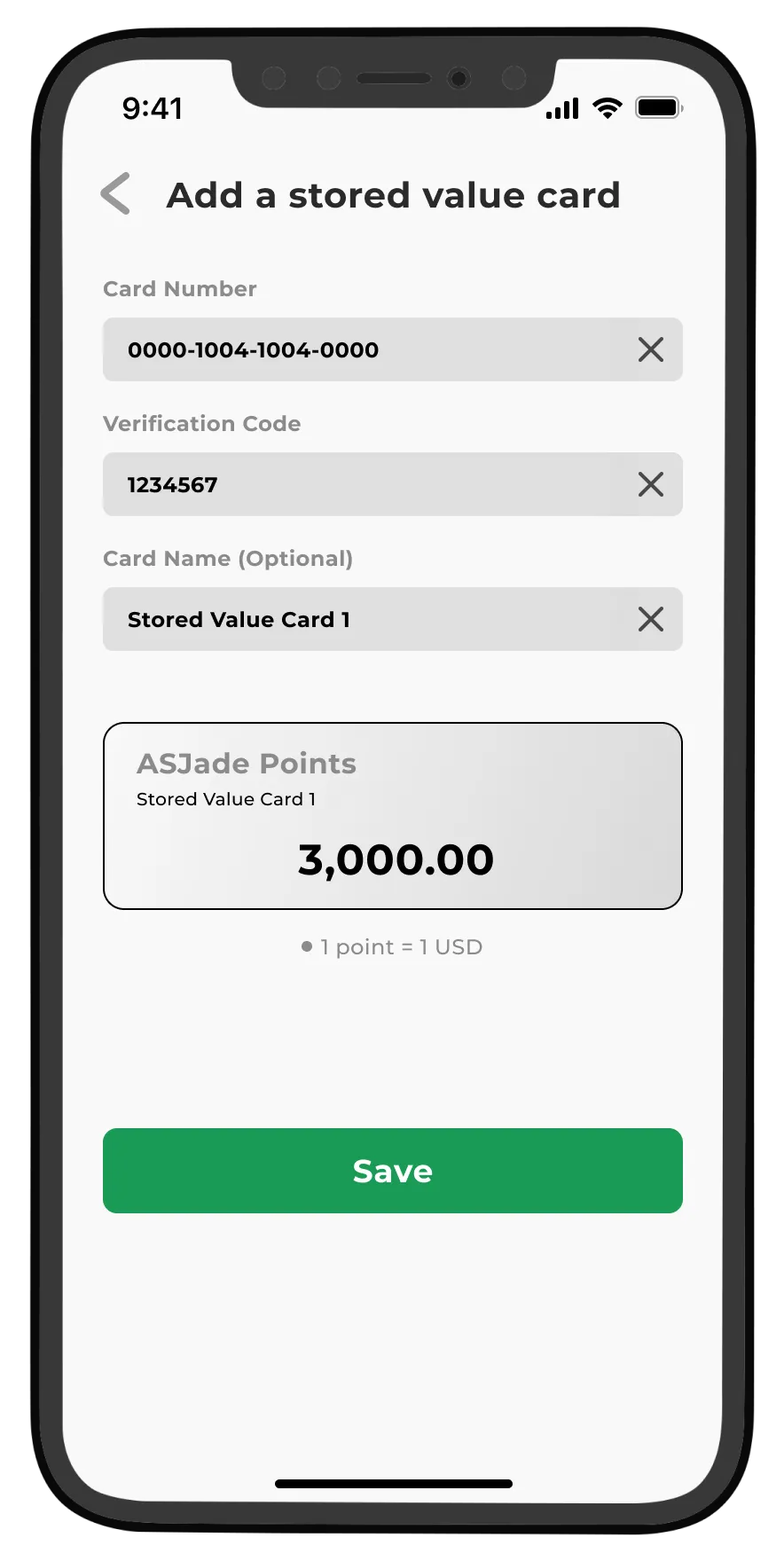
Upon the initial login, Members are prompted by the App to add a payment method, providing a seamless process to link their preferred payment option. This ensures a hassle-free experience for future charging, as users can conveniently skip this step and initiate charging with ease.
Map: Station Info
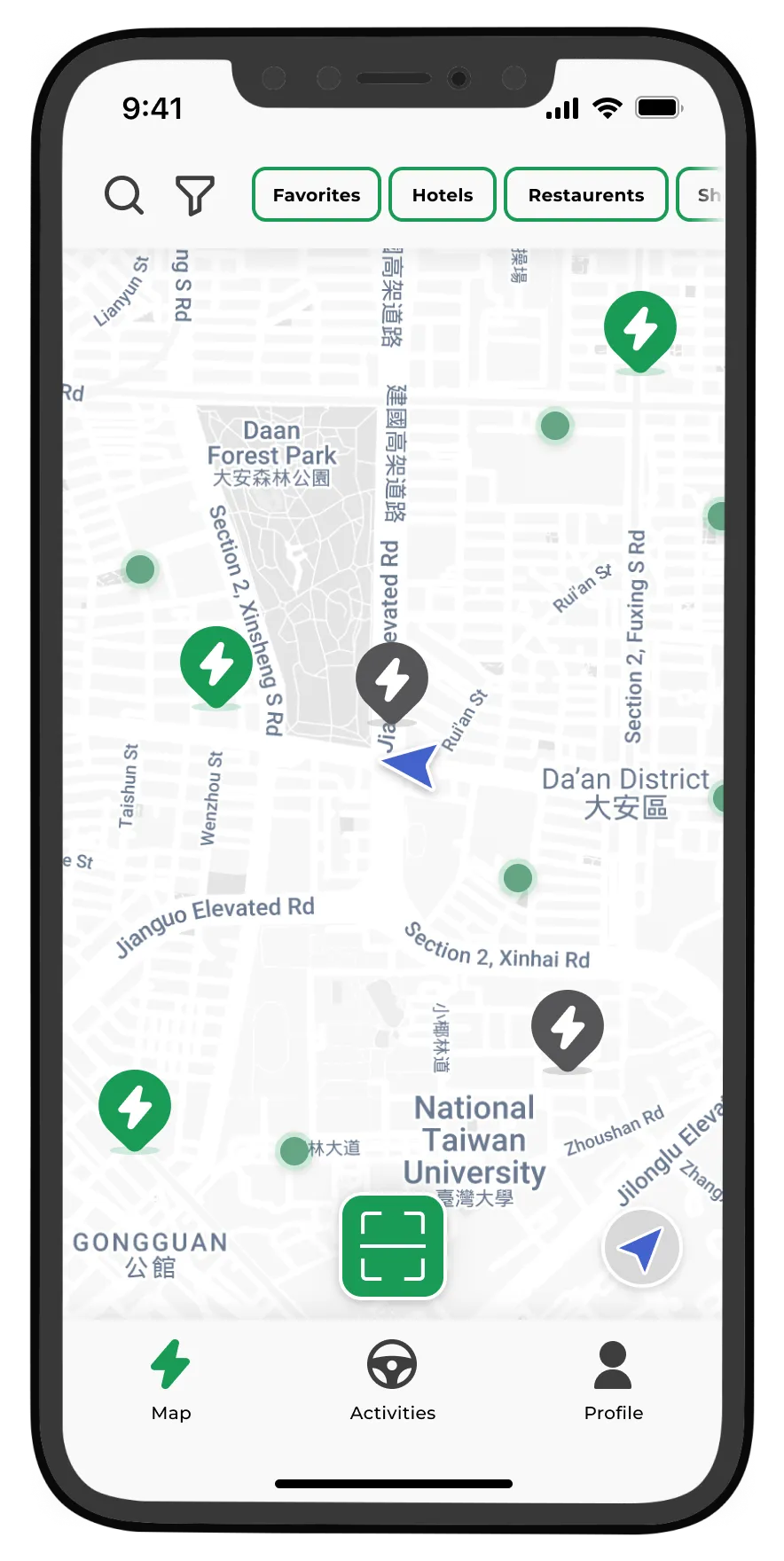
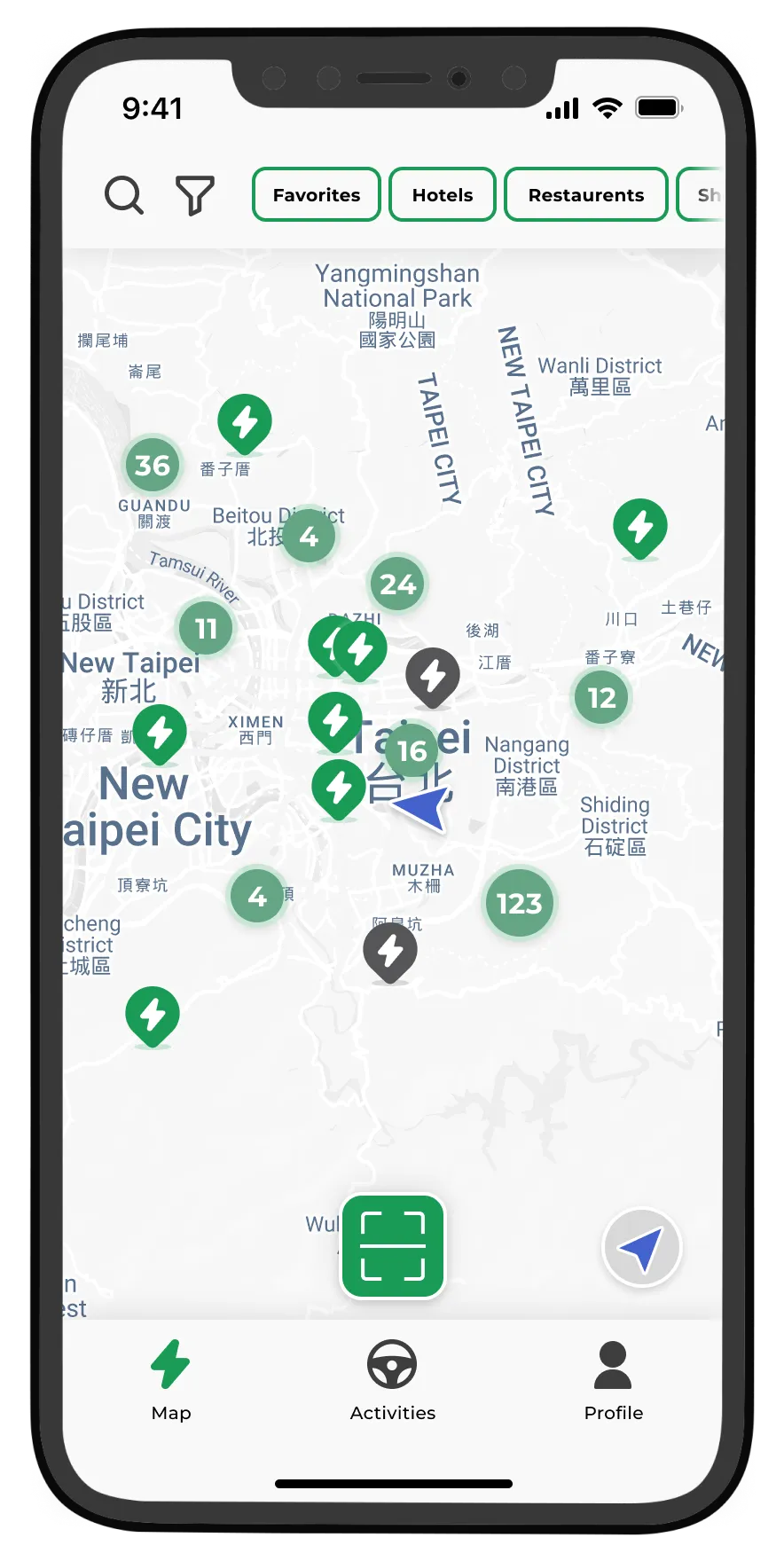
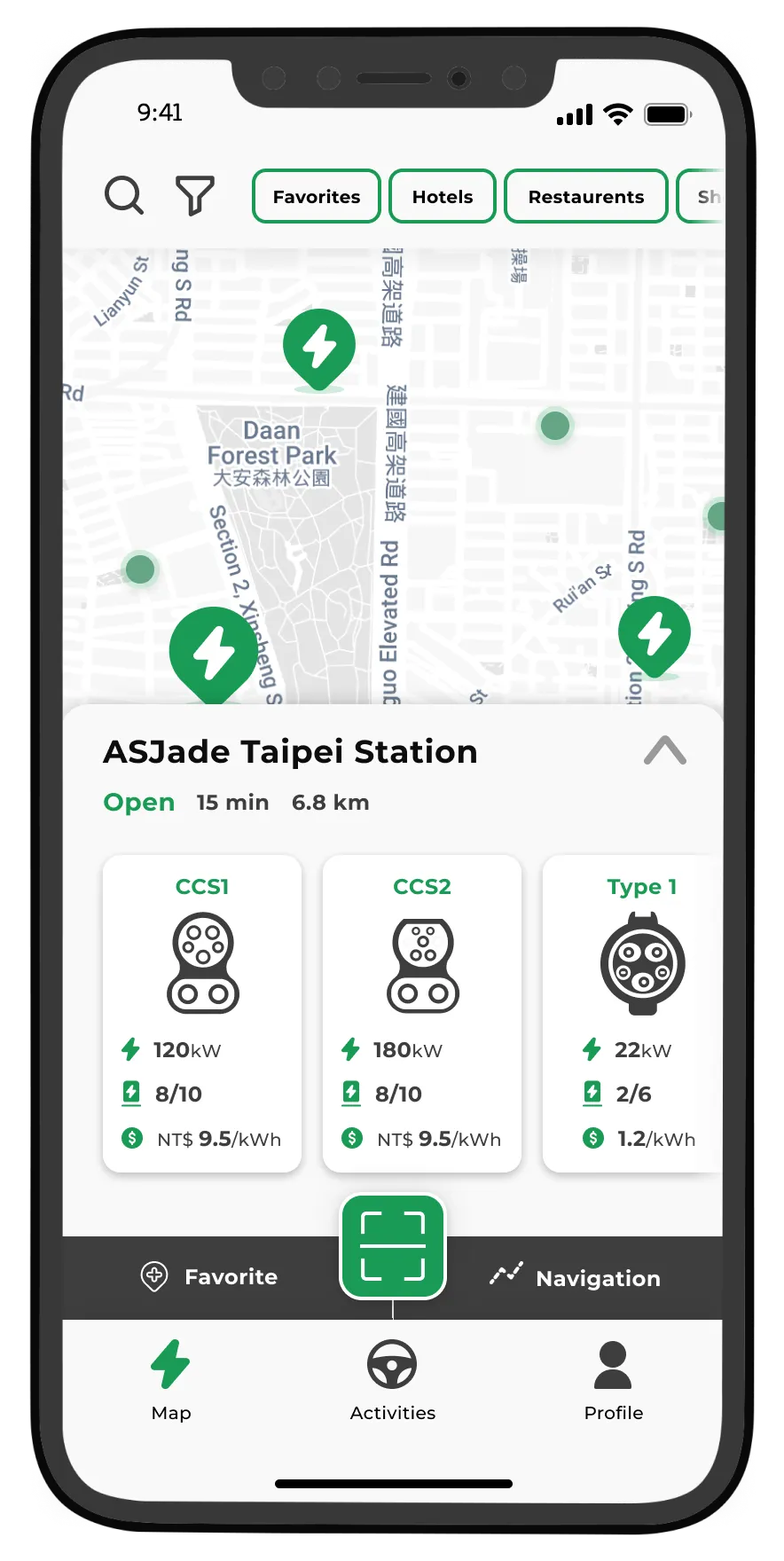
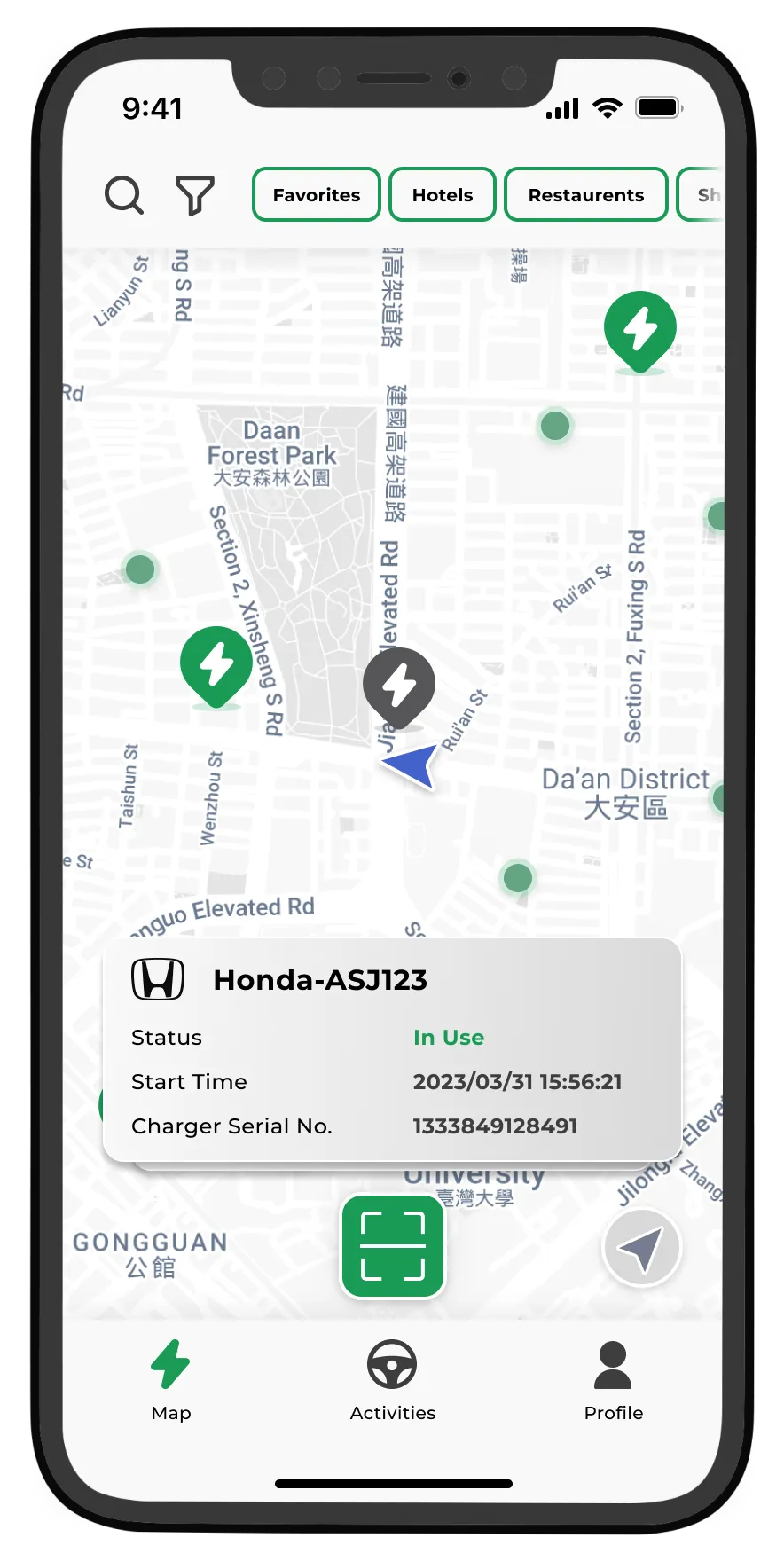
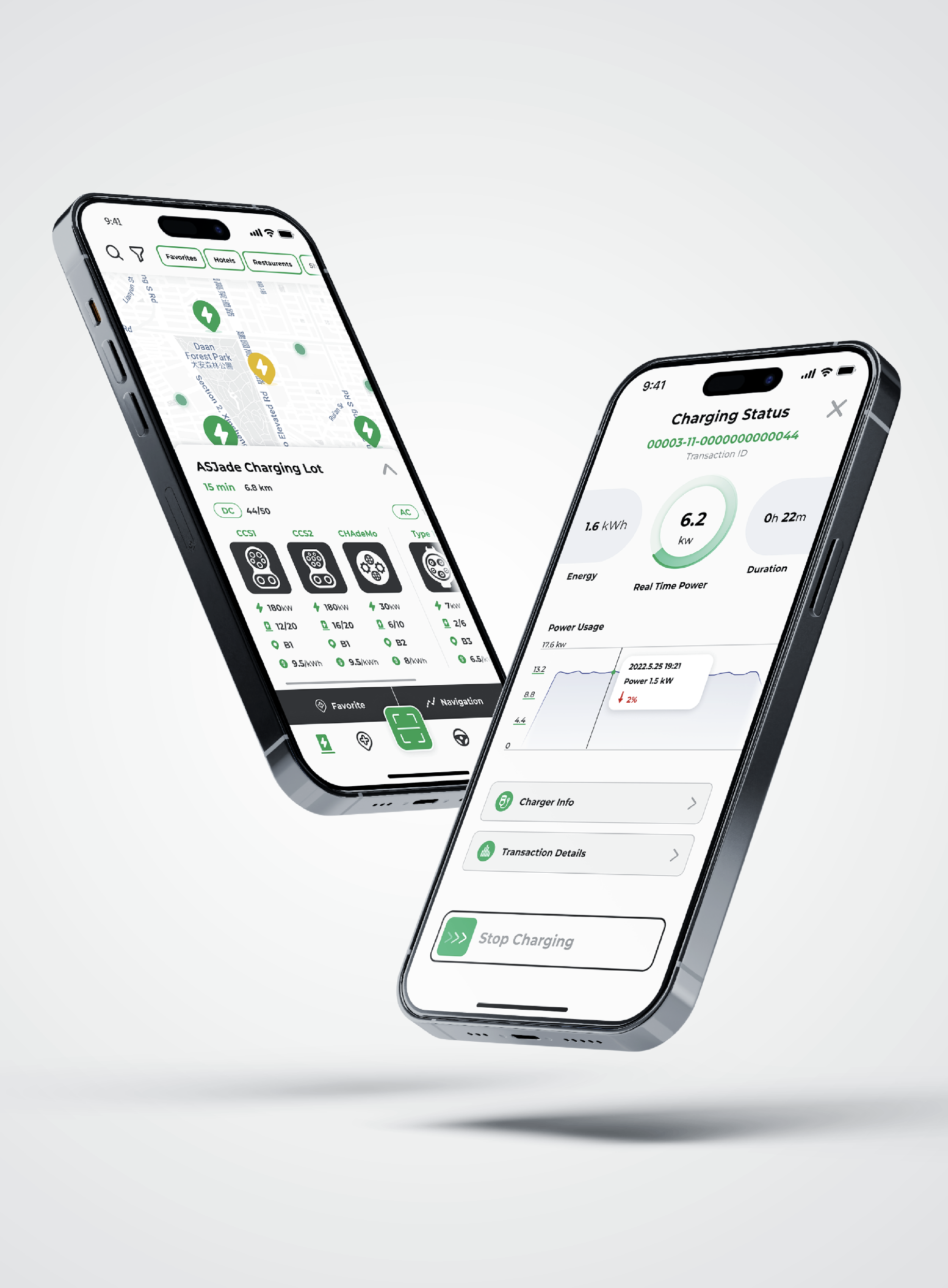
On Homepage, an interactive map with an intuitive search function allows users to easily discover charging stations that match their requirements. The user-friendly interface ensures a smooth and efficient experience while finding the most suitable charging station for their needs.
When zoomed out, the map showcases small green dots, representing third-party charging stations, which amalgamate to display the total station count. Charging points with a lightning icon denote CPO-owned sites, while the green color signifies availability, and dark gray indicates either unavailability or not-in-open-hour. Users can explore the map and easily find charging stations that suit their needs by zooming in or out.
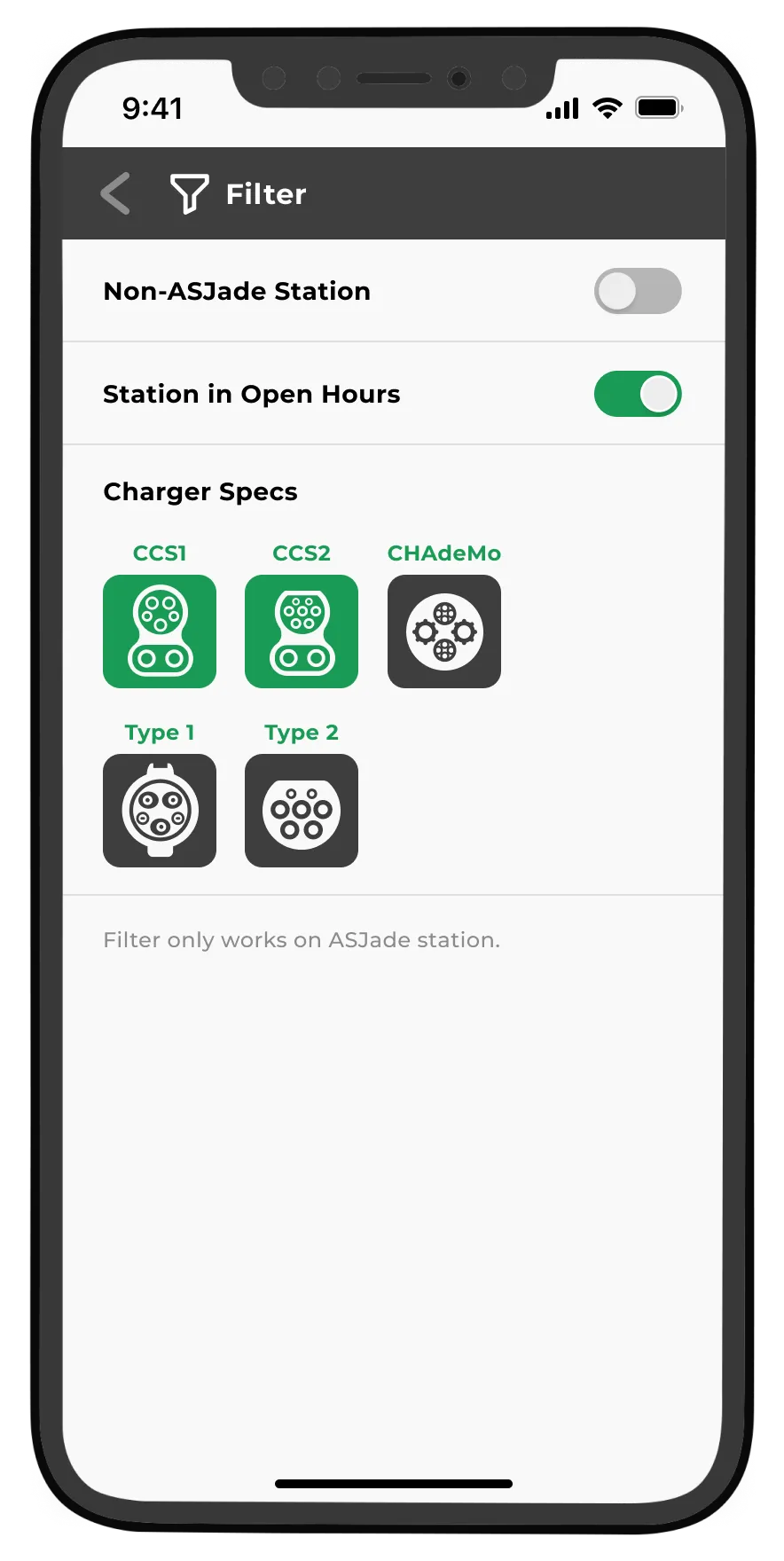
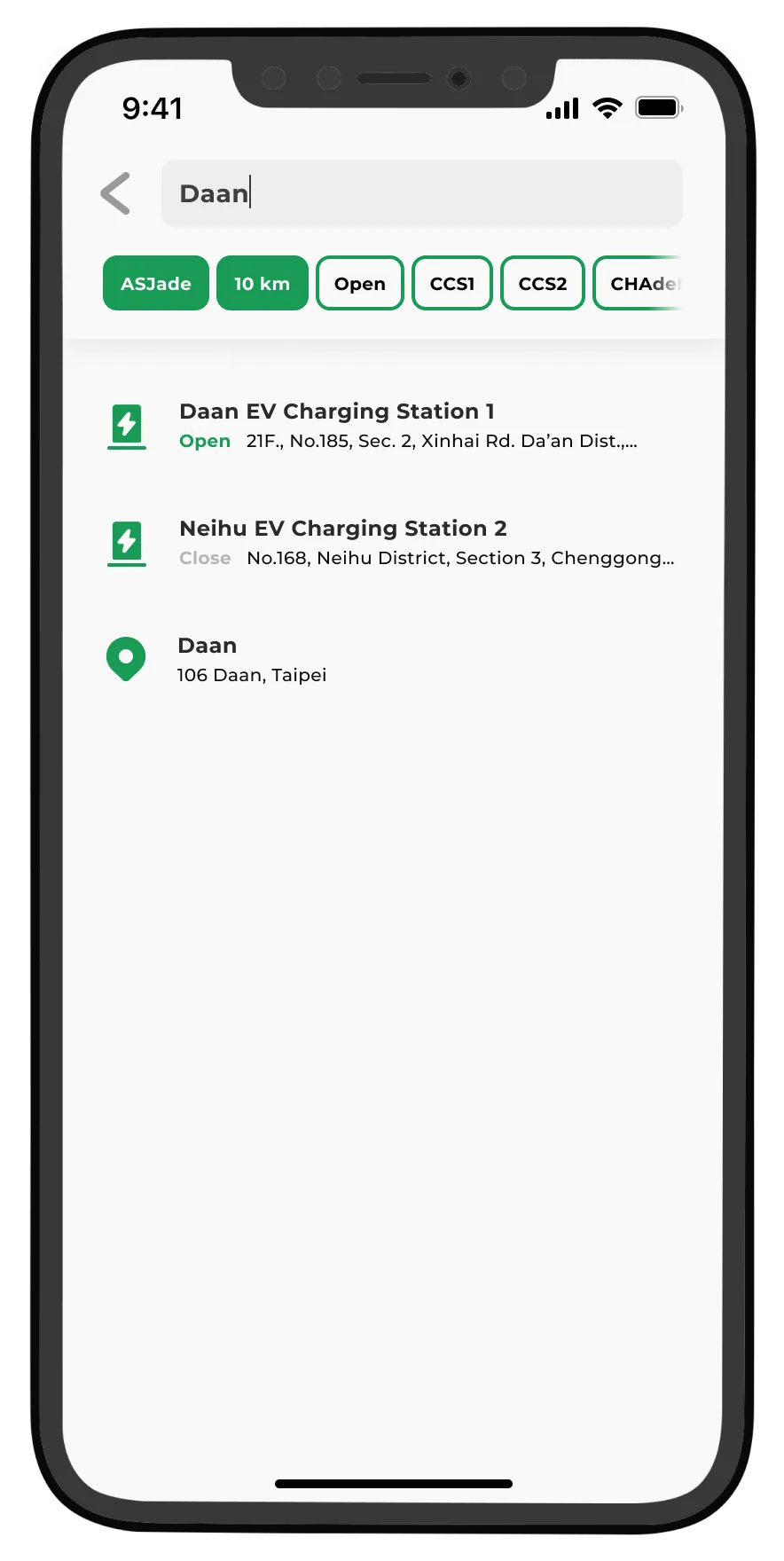
The Filter and Search provide users with a more streamlined and user-friendly search experience, enabling them to quickly discover precisely the charging stations they need.
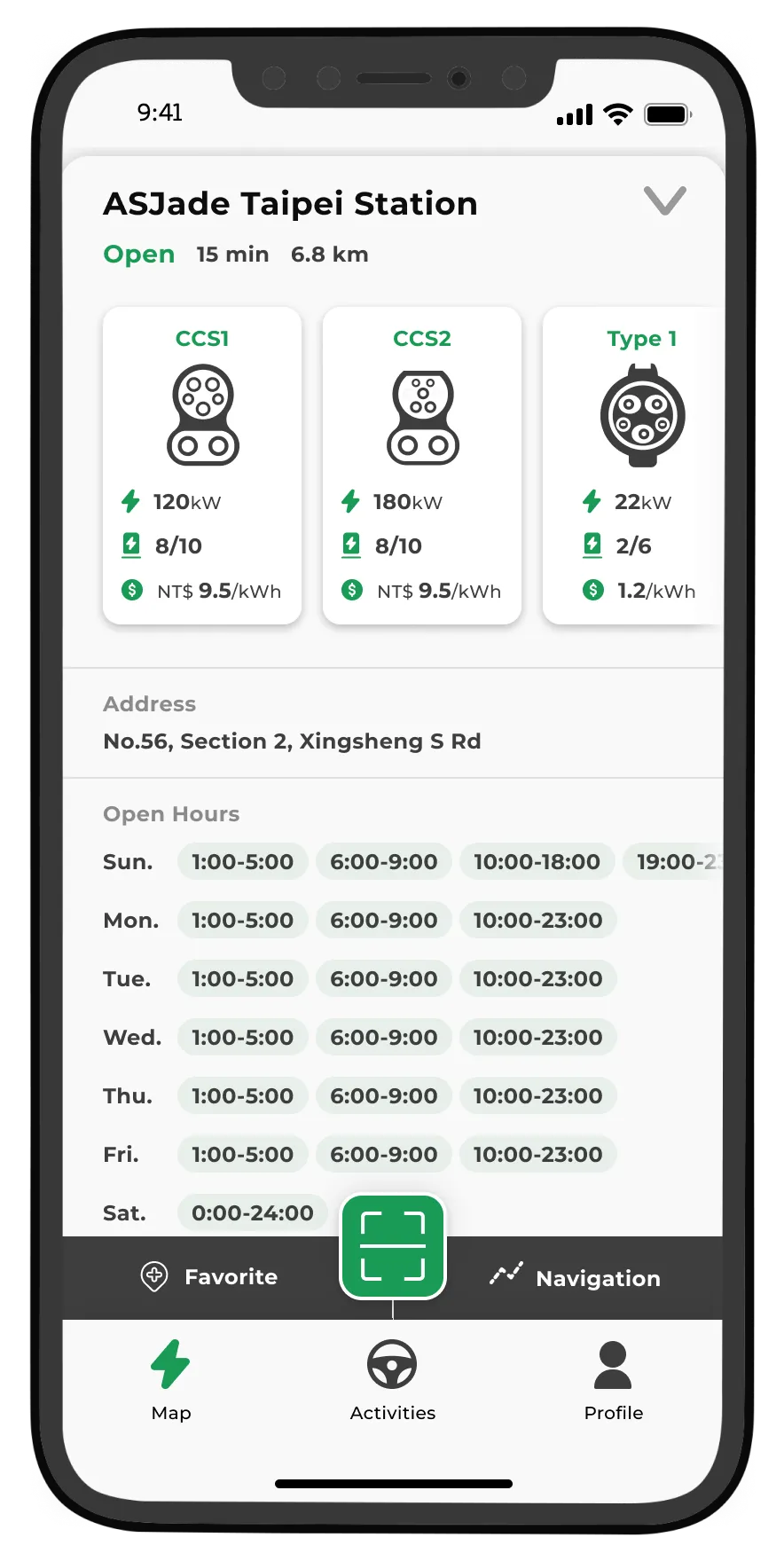
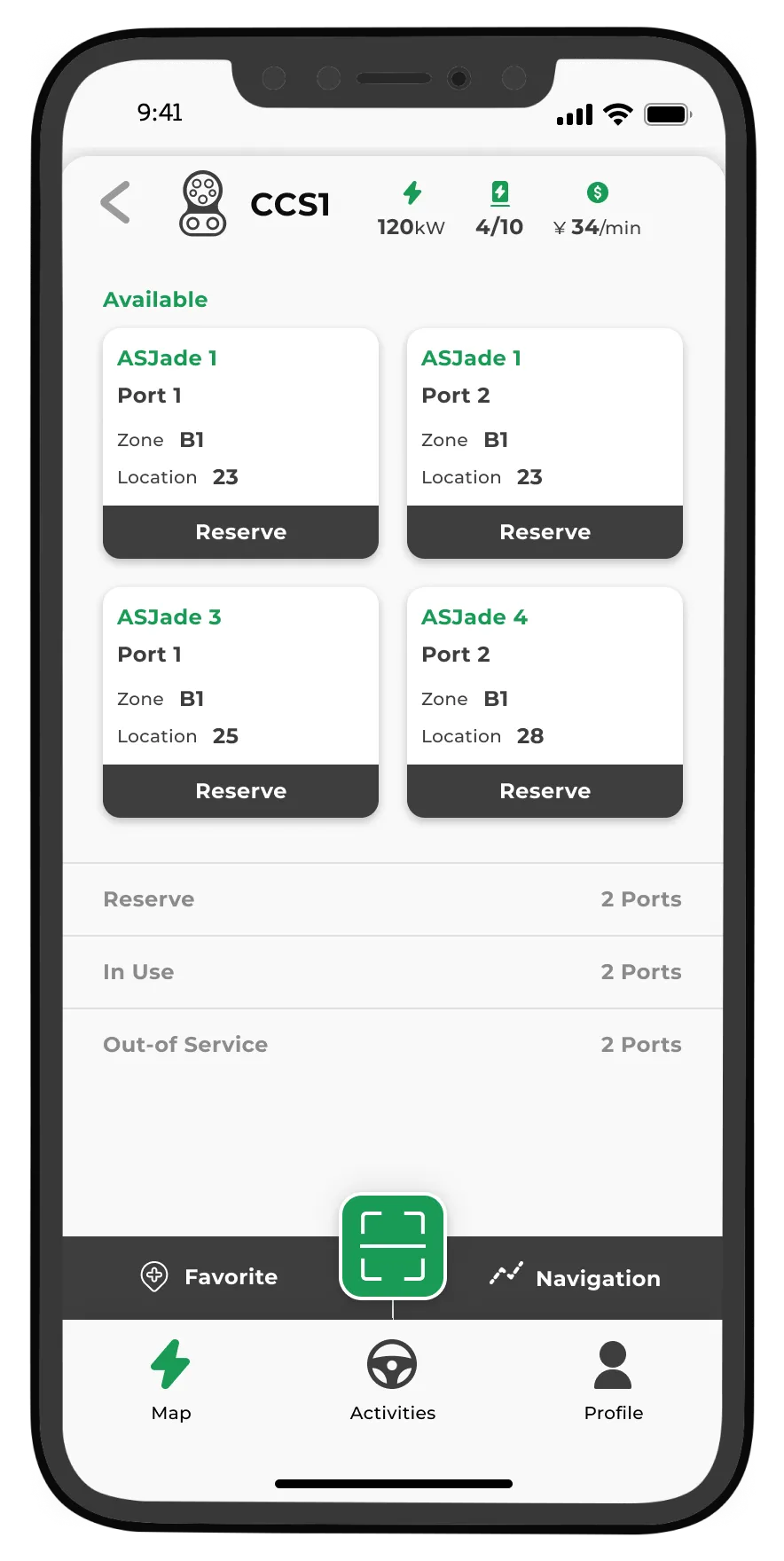
The Charging Station Information Card provides users with a comprehensive set of details for reference. It includes various Charging Specifications, Charging Power, Prices, Operating Hours, Location, and Reservation Availability, empowering users with all the essential information they need.
Scan to Charge
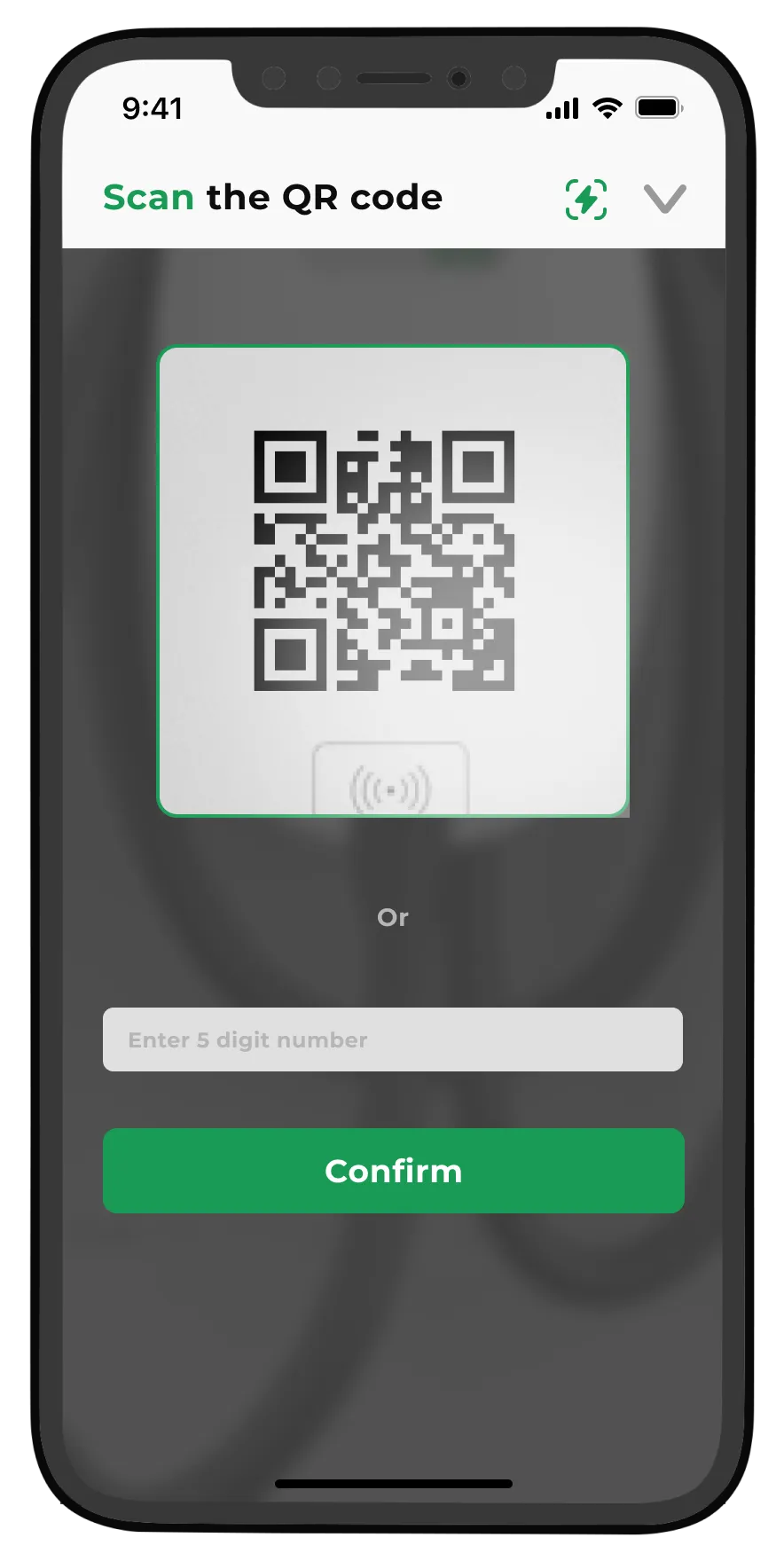
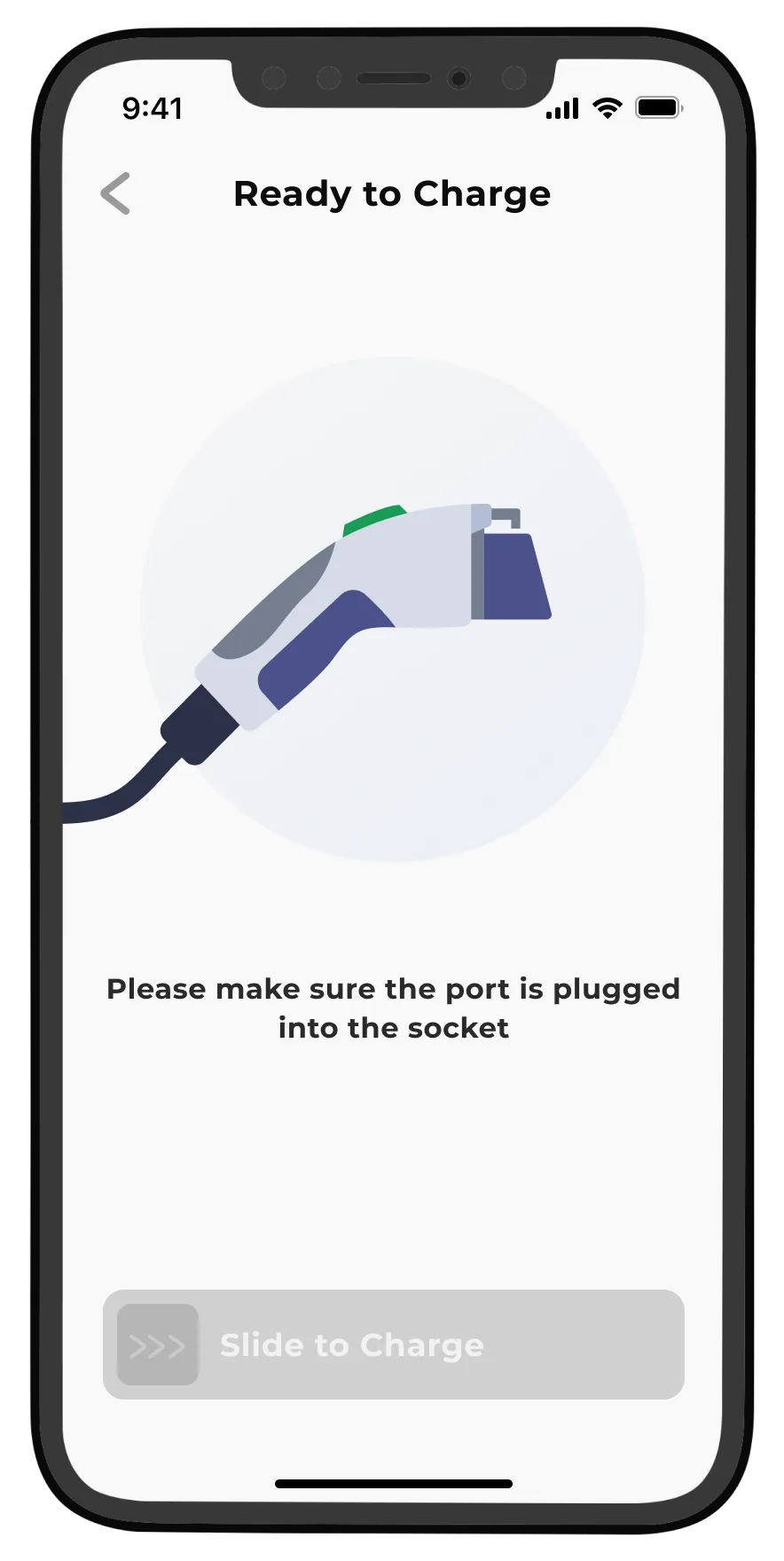
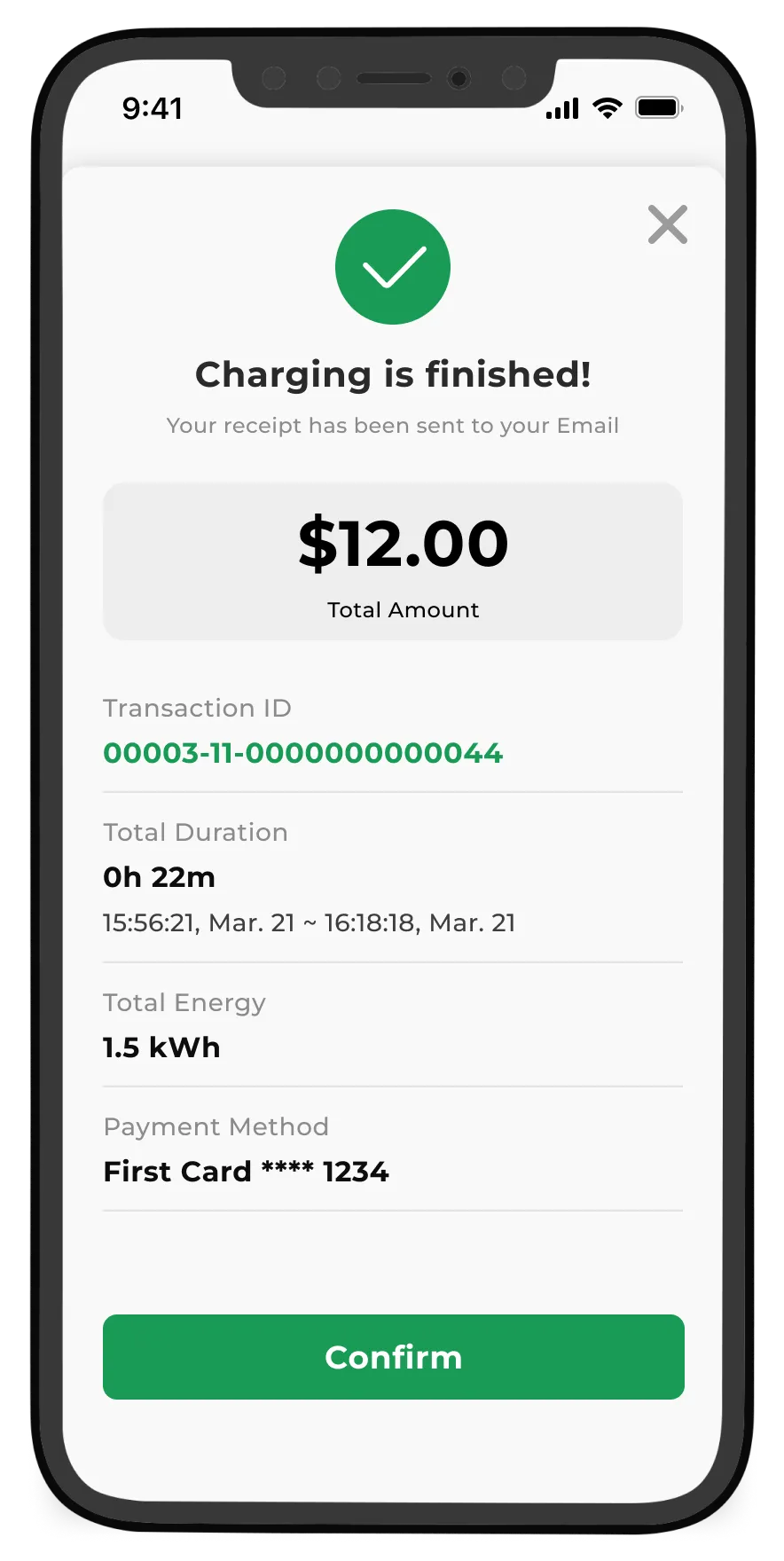
The CTA button on the App's homepage is designed as the "Scan" button, providing users with a seamless entry into the charging process. Users can effortlessly commence charging by scanning a QR code or manually inputting the code when stickers on hardwares are damaged or unavailable.
Upon detecting the locked charging gun, the App's startup button transforms into an "Activated" state, featuring a green color to signify its operability. The button incorporates a slide-to-activate design to prevent inadvertent triggering or deactivation. Users can initiate charging simply by slide the button to the right.
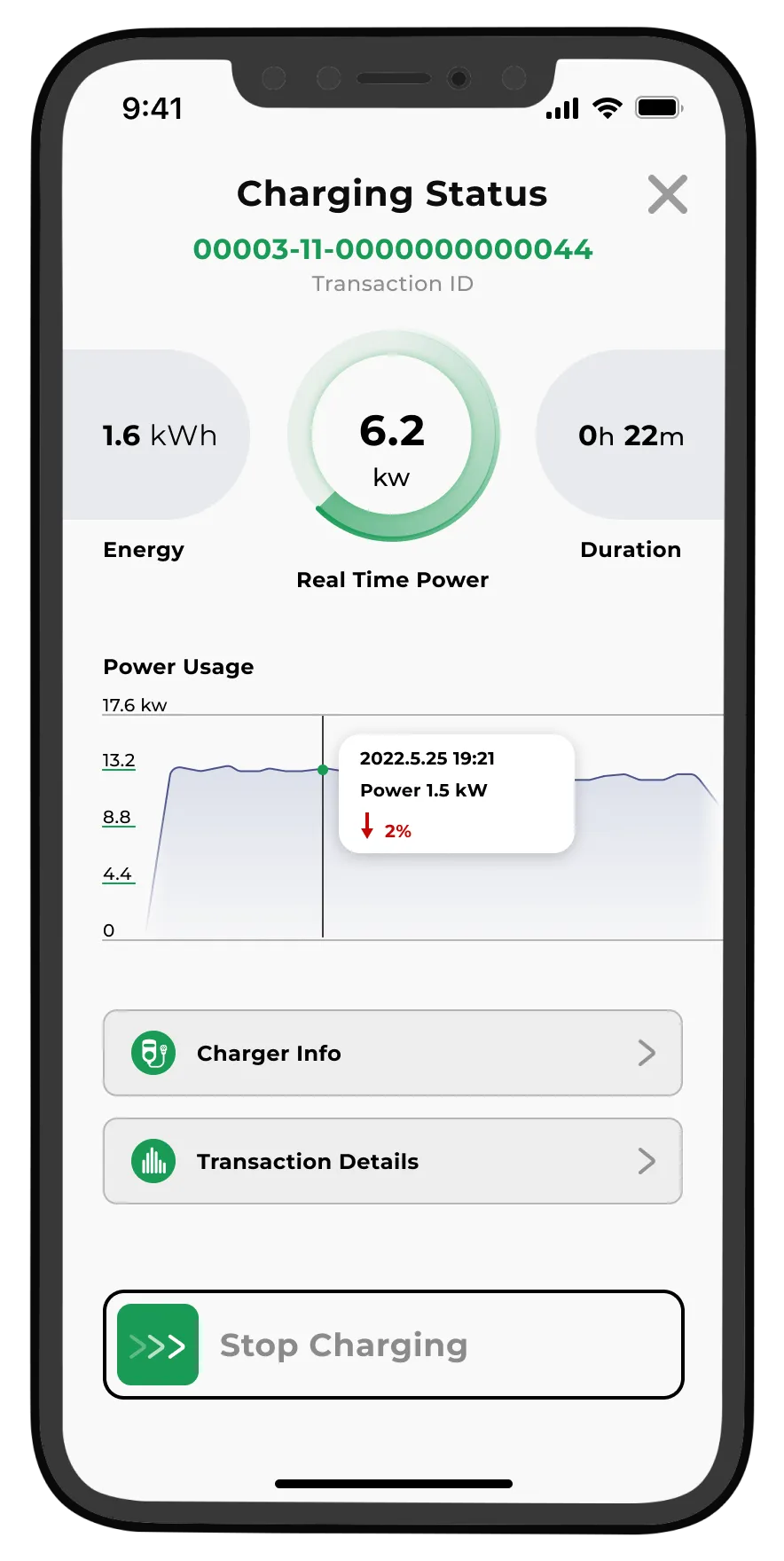
Upon starting the charging process, users gain access to the real-time charging status. The dynamic graph of "Real Time Power" serves as an indicator of the charging station's smooth operation. This UI provides users with valuable data on the consumption and the duration, keeping them informed throughout the process.
In the center, "Power Usage" displays the power output over the entire charging journey, allowing users to monitor the charging process's stability and any variations resulting from dynamic Smart Charging.
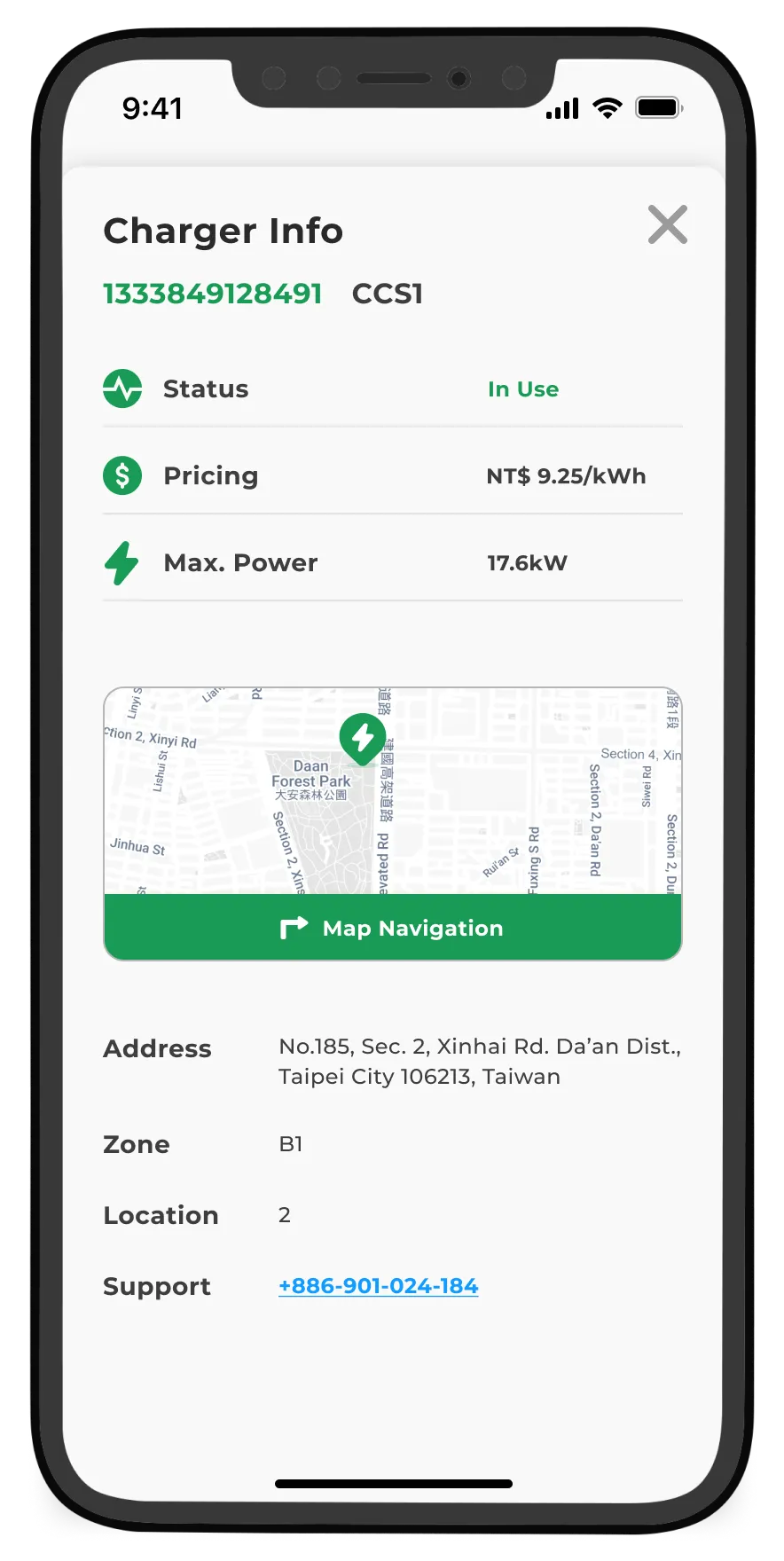
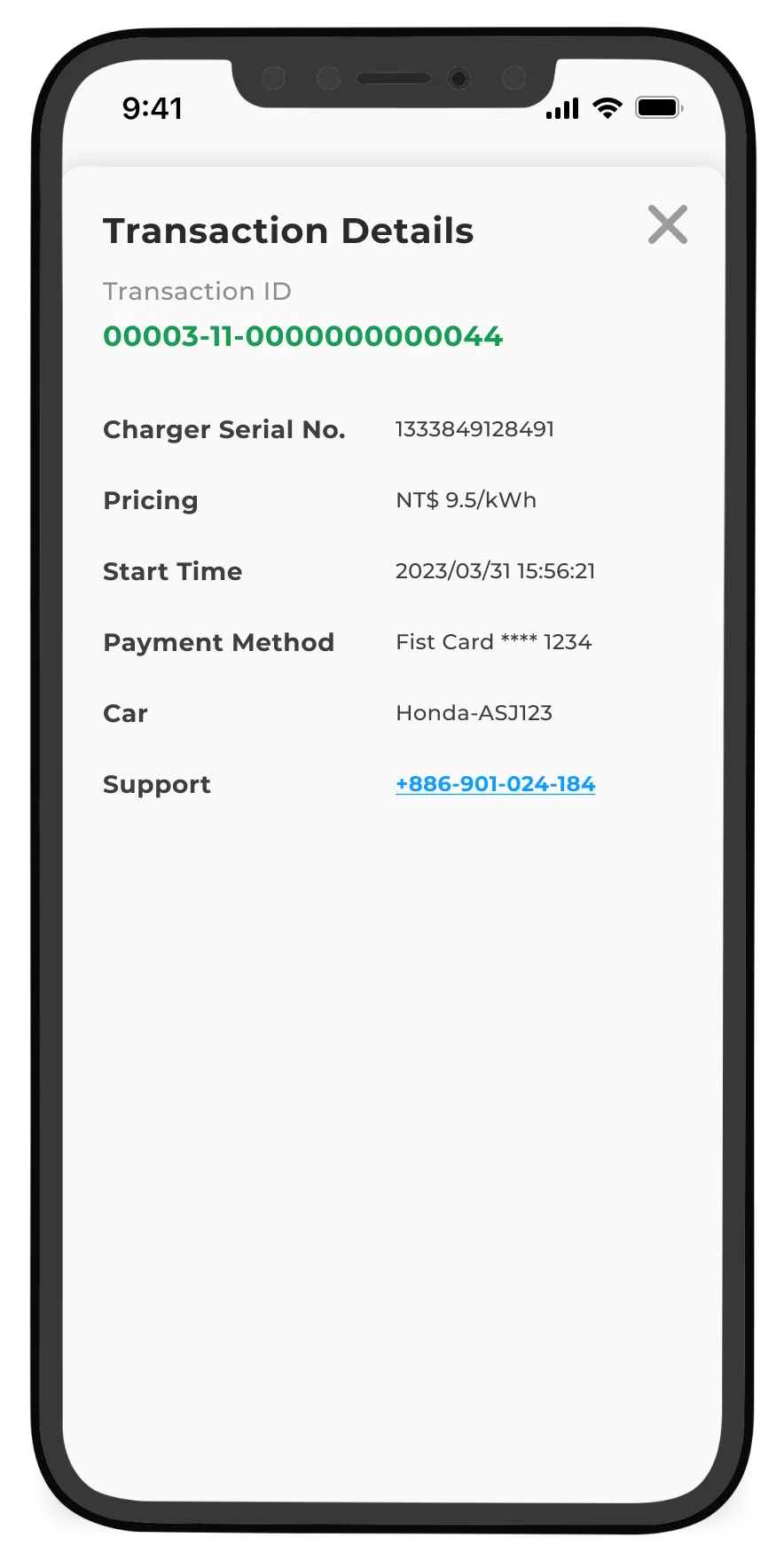
For more comprehensive information, users can explore "Charger Info" and "Transaction Details," providing them with a deeper understanding of their charging experience.
During a charging session, users can conveniently navigate back to the previous screen by using the charging card,
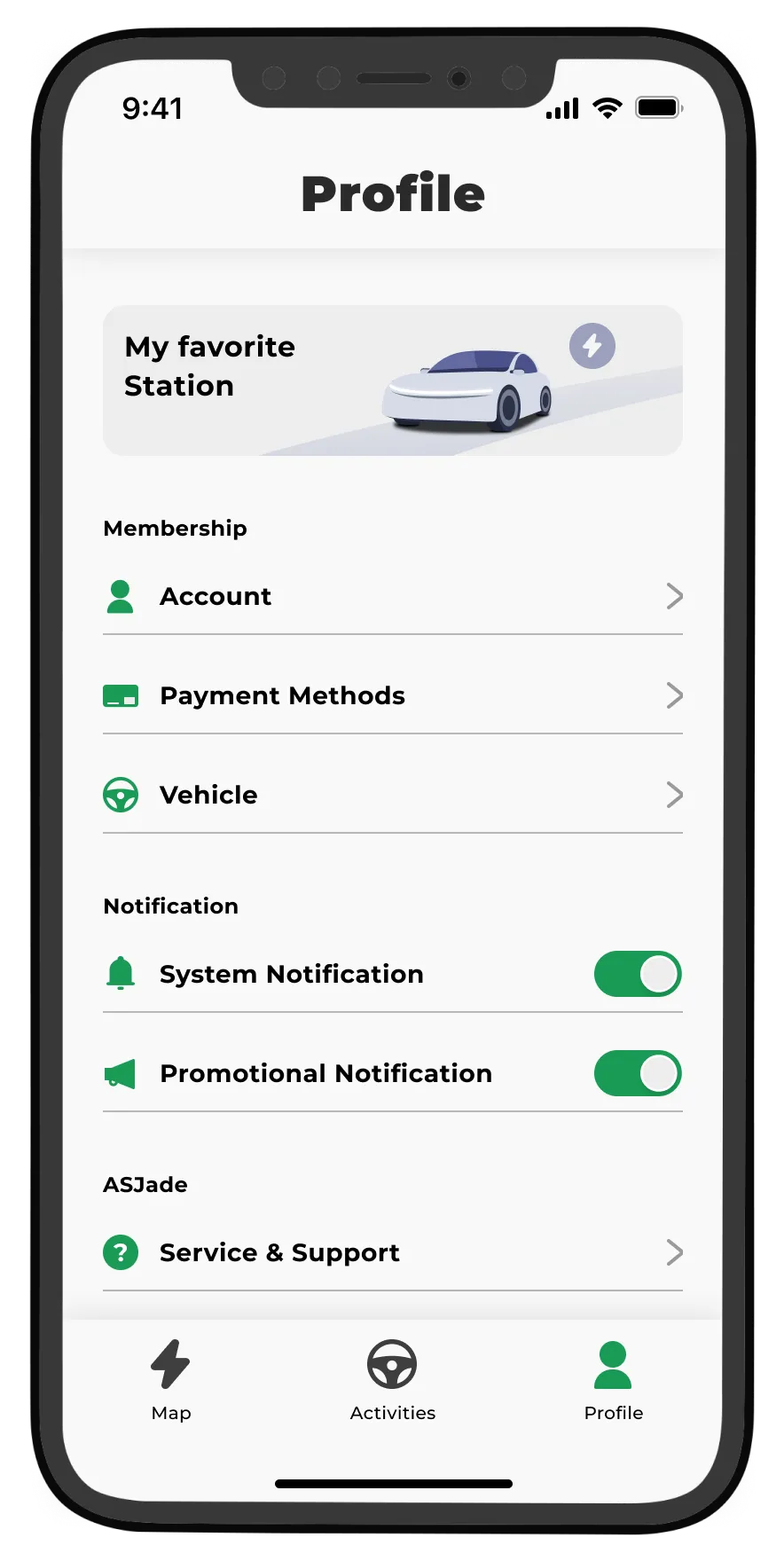
Profile
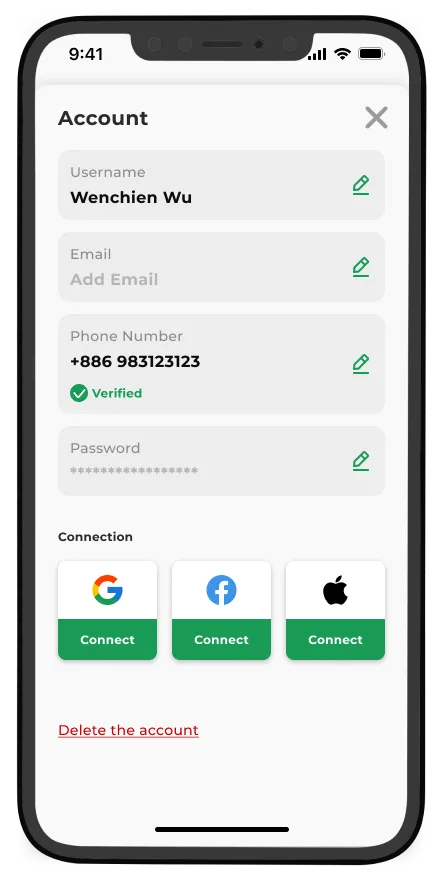
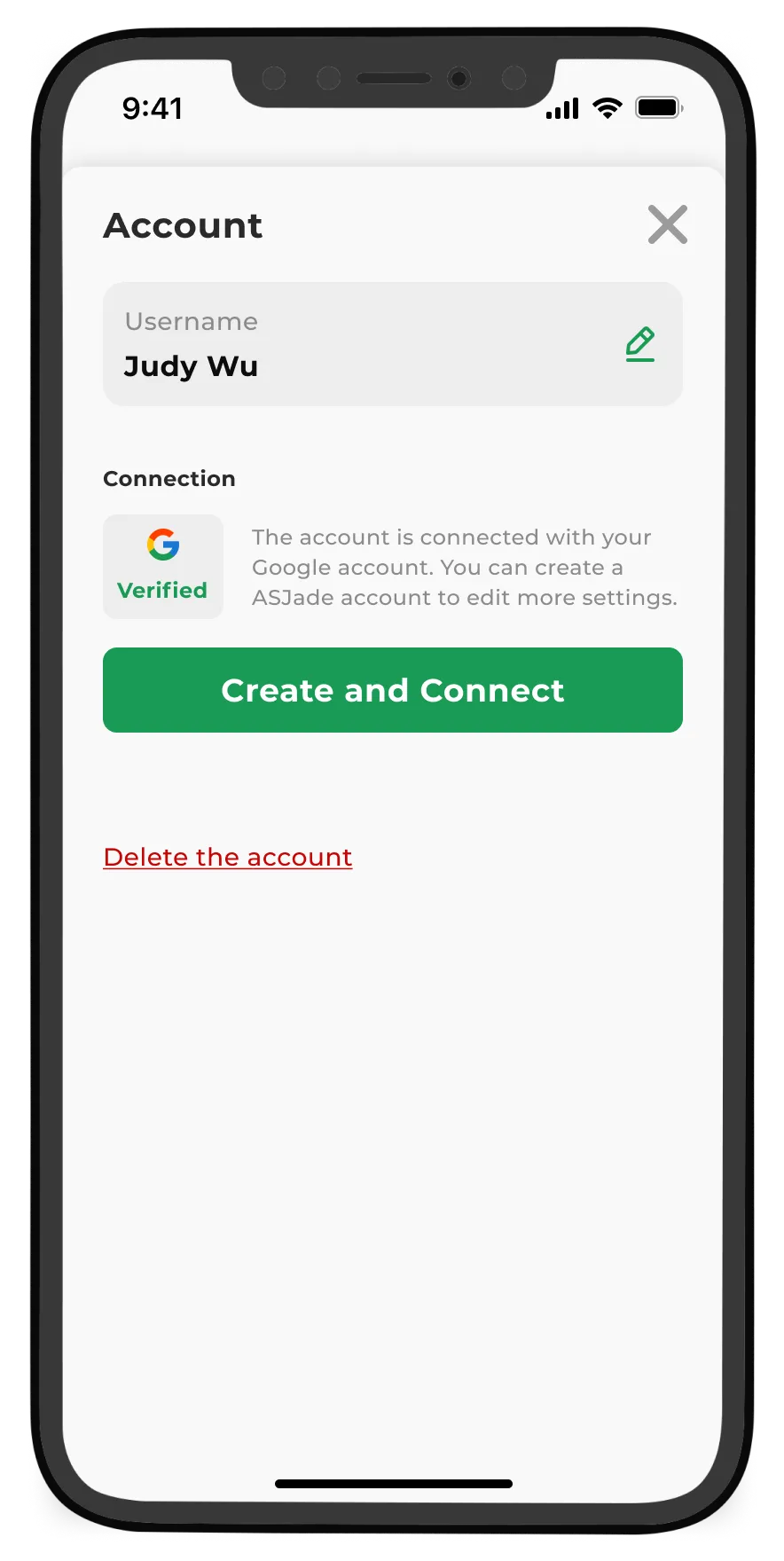
The "Profile" section offers users access to essential settings, notification preferences, and the ability to manage their favorite charging stations. Moreover, users can link their accounts to OAuth, including Google, Facebook, and Apple, from the "Account Settings" for added convenience and seamless integration.

Charge Smart, Drive Far: Elevate your EV Experience

Other Projects